

We provide Tactacam Fishi-i online (apkid: com.fishi.camera) in order to run this application in our online Android emulator.
Description:
Run this app named Tactacam Fishi-i using MyAndroid.
You can do it using our Android online emulator.
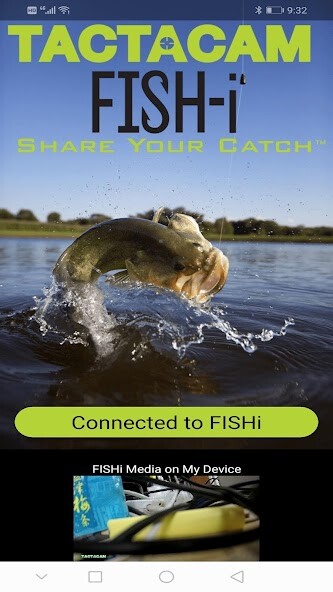
The Tactacam Fish-i APP turns your phone into a controller for your Fish-i camera.
For use with most Android devices.
You can connect the Tactacam Fish-i to your device with the Fish-i APP, after establishing the connection, you can see a live preview of what your camera sees, start or stop recording, view your videos, and download videos to your device for sharing.
How to connect:
Turn on your Tactacam Fish-is Wi-Fi
Connect to the cameras Wi-Fi in your phones settings
Open the Tactacam Fish-i APP
Features:
1.
Watch the live stream from camera
2.
Start and stop recording
3.
Change modes for different Video quality and frame rates
4.
Format your Tactacam SD card
5.
View, Download or delete videos
6.
Combine and shorten clips before sharing
7.
Automatically sets time and date when connected
8.
Supports most Devices
9.
Supports full Video playback with audio before downloading.
For use with most Android devices.
You can connect the Tactacam Fish-i to your device with the Fish-i APP, after establishing the connection, you can see a live preview of what your camera sees, start or stop recording, view your videos, and download videos to your device for sharing.
How to connect:
Turn on your Tactacam Fish-is Wi-Fi
Connect to the cameras Wi-Fi in your phones settings
Open the Tactacam Fish-i APP
Features:
1.
Watch the live stream from camera
2.
Start and stop recording
3.
Change modes for different Video quality and frame rates
4.
Format your Tactacam SD card
5.
View, Download or delete videos
6.
Combine and shorten clips before sharing
7.
Automatically sets time and date when connected
8.
Supports most Devices
9.
Supports full Video playback with audio before downloading.
MyAndroid is not a downloader online for Tactacam Fishi-i. It only allows to test online Tactacam Fishi-i with apkid com.fishi.camera. MyAndroid provides the official Google Play Store to run Tactacam Fishi-i online.
