

We provide miAlarm online (apkid: com.finmon.mialarm) in order to run this application in our online Android emulator.
Description:
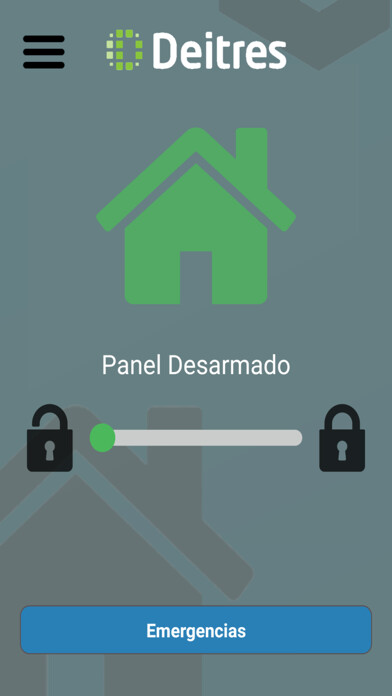
Run this app named miAlarm using MyAndroid.
You can do it using our Android online emulator.
Unlock your panel's true potential with the miAlarm app to connect, monitor & control your alarm system from the convenience of your phone.
Connect the app to a mi64, mi8, or miPanic panel for a flawlessly integrated experience and gain access to the latest alarm system features.
Compatible third-party systems can also be linked via a Finmon Radio to remotely access your panel.
Monitor the status of your alarm system from the convenience of your phone no matter where you are!
Control is now in your hands:
-Arm, Disarm, Home Arm or Sleep Arm areas of your home/business
-Open/Close your garage door and gate
-Switch on/off your geyser, pool pump or lights
-Bypass specific zones
-Receive notifications when your alarm has been triggered or other important events occur (you can customise the types of events you would like to receive)
-Panic directly from your phone (available only with specific panels)
-Customise your partition, zone and output names to easily identify them
Note:
the miAlarm app is fully compatible with the following Finmon Alarm Systems:
-mi64
-mi8
-miPanic
The following third-party alarm systems are also compatible with miAlarm when connected to a Finmon Radio:
- Texecom Premier 412, 816, & 832
- Paradox SP6000 & MG5050
- IDS 805 & X-Series
- Orisec
If you do not have a Finmon Radio or Finmon Alarm Panel please contact your alarm company for further information.
Connect the app to a mi64, mi8, or miPanic panel for a flawlessly integrated experience and gain access to the latest alarm system features.
Compatible third-party systems can also be linked via a Finmon Radio to remotely access your panel.
Monitor the status of your alarm system from the convenience of your phone no matter where you are!
Control is now in your hands:
-Arm, Disarm, Home Arm or Sleep Arm areas of your home/business
-Open/Close your garage door and gate
-Switch on/off your geyser, pool pump or lights
-Bypass specific zones
-Receive notifications when your alarm has been triggered or other important events occur (you can customise the types of events you would like to receive)
-Panic directly from your phone (available only with specific panels)
-Customise your partition, zone and output names to easily identify them
Note:
the miAlarm app is fully compatible with the following Finmon Alarm Systems:
-mi64
-mi8
-miPanic
The following third-party alarm systems are also compatible with miAlarm when connected to a Finmon Radio:
- Texecom Premier 412, 816, & 832
- Paradox SP6000 & MG5050
- IDS 805 & X-Series
- Orisec
If you do not have a Finmon Radio or Finmon Alarm Panel please contact your alarm company for further information.
MyAndroid is not a downloader online for miAlarm. It only allows to test online miAlarm with apkid com.finmon.mialarm. MyAndroid provides the official Google Play Store to run miAlarm online.
