
We provide USB OTG Checker and File Explorer Pro online (apkid: com.fantasyapps.usbotg.usbotgchecker) in order to run this application in our online Android emulator.
Description:
Run this app named USB OTG Checker and File Explorer Pro using MyAndroid.
You can do it using our Android online emulator.
USB OTG Checker Pro is very user friendly and easier to use.
It supports any brands of usb device ( i.e: USB flash drive 2.0 or 3.0) , keyboard , mouse etc.
By using this app you can browse your flash drive files so easily.
Speciality:
1) No Adds
2) No need to connect usb otg cable or buy usb otg for testing.
Usage catalog: -
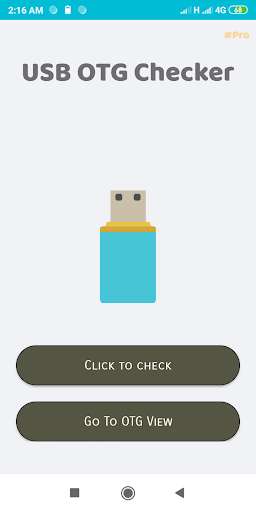
1) Simply press the button "click to check", wait until it gives the final result to you.
For browsing files in Flash drive:
1) Press the "go to otg view" button
2) Connect your flash drive (i.e: pendrive) with your smartphone by OTG cable.
3) Then finally browse all your files.
It supports any brands of usb device ( i.e: USB flash drive 2.0 or 3.0) , keyboard , mouse etc.
By using this app you can browse your flash drive files so easily.
Speciality:
1) No Adds
2) No need to connect usb otg cable or buy usb otg for testing.
Usage catalog: -
1) Simply press the button "click to check", wait until it gives the final result to you.
For browsing files in Flash drive:
1) Press the "go to otg view" button
2) Connect your flash drive (i.e: pendrive) with your smartphone by OTG cable.
3) Then finally browse all your files.
MyAndroid is not a downloader online for USB OTG Checker and File Explorer Pro. It only allows to test online USB OTG Checker and File Explorer Pro with apkid com.fantasyapps.usbotg.usbotgchecker. MyAndroid provides the official Google Play Store to run USB OTG Checker and File Explorer Pro online.
