
We provide Awesome File Manager online (apkid: com.extrastuieos.filemanager) in order to run this application in our online Android emulator.
Description:
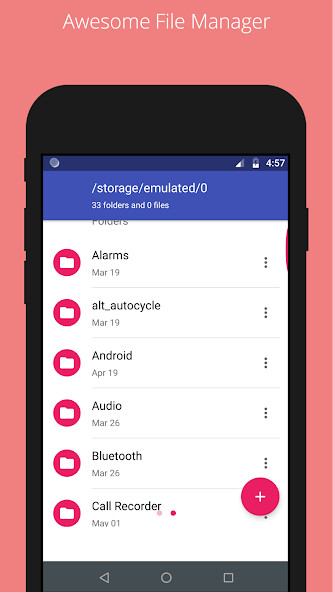
Run this app named Awesome File Manager using MyAndroid.
You can do it using our Android online emulator.
Awesome file manager is the best file explorer, file tool for android device manager with powerful features: Copy, cut, paste, rename, compress, transfer, download etc.
Features:
* Based on Material Design guidelines
* Basic features like cut, copy, delete, compress, extract etc.
easily accessible
* Work on multiple tabs at same time
* Multiple themes with cool icons
* Navigation drawer for quick navigation
* App Manager to open, backup, or directly uninstall any app
* Quickly access history, access bookmarks or search for any file
* Root explorer for advanced users
* AES Encryption and Decryption of files for security (Jellybean v4.3+)
* Inbuilt Database Reader, Zip/Rar Reader, Apk Reader, Text Reader
lots more.
Features:
* Based on Material Design guidelines
* Basic features like cut, copy, delete, compress, extract etc.
easily accessible
* Work on multiple tabs at same time
* Multiple themes with cool icons
* Navigation drawer for quick navigation
* App Manager to open, backup, or directly uninstall any app
* Quickly access history, access bookmarks or search for any file
* Root explorer for advanced users
* AES Encryption and Decryption of files for security (Jellybean v4.3+)
* Inbuilt Database Reader, Zip/Rar Reader, Apk Reader, Text Reader
lots more.
MyAndroid is not a downloader online for Awesome File Manager. It only allows to test online Awesome File Manager with apkid com.extrastuieos.filemanager. MyAndroid provides the official Google Play Store to run Awesome File Manager online.
