

We provide ESP8266 Switch online (apkid: com.esp8266.remote) in order to run this application in our online Android emulator.
Description:
Run this app named ESP8266 Switch using MyAndroid.
You can do it using our Android online emulator.
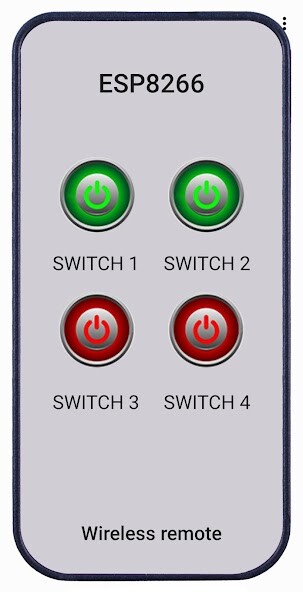
ESP8266Switch is for control up to 4 switches, using NodeMCU module and ESP8266_Switch.ino sketch.
For use the module in local network only, url address in the application should be set to: http: //ModuleIP/1/on (for example: http: //192.168.1.123/1/on).
For control the ESP8266 module globally, the listen port must be open in the router.
That can be done automatically with ESP8266_Switch_UPNP.ino sketch.
The port in the sketch is set to 5000, and can be changed if needed.
The url address in the application in this case should be set to: http: //StaticIP: Port/1/on (for example: http: //80.90.134.243: 5000/1/on).
In the application settings menu, all labels can be changed.
When the button is red, URL address for state OFF can be set.
When the button is green, URL address for state ON can be set.
Slide right to enter the url address.
To enable button, make it green in the Settings.
There is daily schedulle for every switch.
Time zone can be changed in the sketch.
Arduino sketch: https: //github.com/raykopan/ESP8266_Switch
For use the module in local network only, url address in the application should be set to: http: //ModuleIP/1/on (for example: http: //192.168.1.123/1/on).
For control the ESP8266 module globally, the listen port must be open in the router.
That can be done automatically with ESP8266_Switch_UPNP.ino sketch.
The port in the sketch is set to 5000, and can be changed if needed.
The url address in the application in this case should be set to: http: //StaticIP: Port/1/on (for example: http: //80.90.134.243: 5000/1/on).
In the application settings menu, all labels can be changed.
When the button is red, URL address for state OFF can be set.
When the button is green, URL address for state ON can be set.
Slide right to enter the url address.
To enable button, make it green in the Settings.
There is daily schedulle for every switch.
Time zone can be changed in the sketch.
Arduino sketch: https: //github.com/raykopan/ESP8266_Switch
MyAndroid is not a downloader online for ESP8266 Switch. It only allows to test online ESP8266 Switch with apkid com.esp8266.remote. MyAndroid provides the official Google Play Store to run ESP8266 Switch online.
