
We provide Epicor Scheduling+ Timeclock online (apkid: com.epicor.eagle.schedulingplus.timeclock) in order to run this application in our online Android emulator.
Description:
Run this app named Epicor Scheduling+ Timeclock using MyAndroid.
You can do it using our Android online emulator.
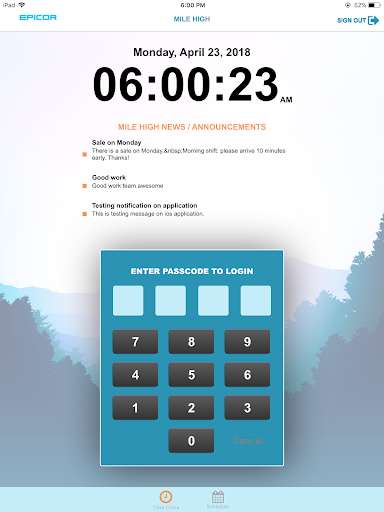
An All-in-one timeclock and task manager solution by Epicor!
Turn any tablet into a powerful timeclock.
All punches are sent to your companys Epicor Scheduling+ account in the cloud.
Managers can view that data from their Epicor Scheduling+ Dashboard and set up tracking or alerts for absentees, missed punches, lunch break durations, overtime, and more!
Employees can use the interface to:
- Clock In/Out
- Break In/Out
- View Tasks
- Request Time Off
Additional Features:
Photo Verification To prevent buddy punching you can enable this feature and require each employee to have their picture taken at each punch.
These are stored on the timesheets and can be reviewed by payroll managers.
Offline Mode In the event your tablet loses internet connectivity all punch data is stored locally.
It is then transmitted to the Epicor Scheduling+ cloud once connection has been re-established.
An active Epicor Scheduling+ subscription is required to use this app.
Turn any tablet into a powerful timeclock.
All punches are sent to your companys Epicor Scheduling+ account in the cloud.
Managers can view that data from their Epicor Scheduling+ Dashboard and set up tracking or alerts for absentees, missed punches, lunch break durations, overtime, and more!
Employees can use the interface to:
- Clock In/Out
- Break In/Out
- View Tasks
- Request Time Off
Additional Features:
Photo Verification To prevent buddy punching you can enable this feature and require each employee to have their picture taken at each punch.
These are stored on the timesheets and can be reviewed by payroll managers.
Offline Mode In the event your tablet loses internet connectivity all punch data is stored locally.
It is then transmitted to the Epicor Scheduling+ cloud once connection has been re-established.
An active Epicor Scheduling+ subscription is required to use this app.
MyAndroid is not a downloader online for Epicor Scheduling+ Timeclock. It only allows to test online Epicor Scheduling+ Timeclock with apkid com.epicor.eagle.schedulingplus.timeclock. MyAndroid provides the official Google Play Store to run Epicor Scheduling+ Timeclock online.
