

We provide Linebit Light - Icon Pack online (apkid: com.edzondm.linebitlight) in order to run this application in our online Android emulator.
Description:
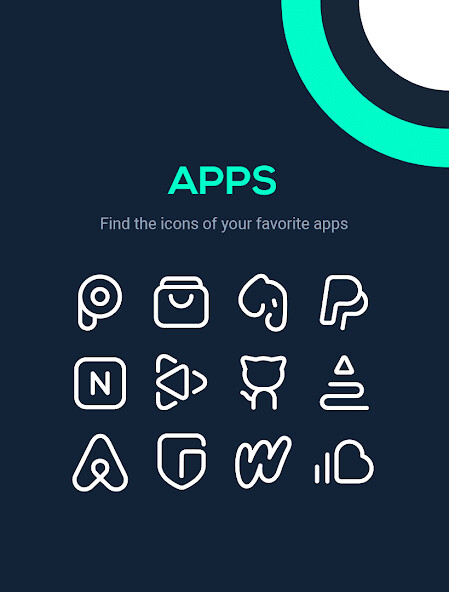
Run this app named Linebit Light - Icon Pack using MyAndroid.
You can do it using our Android online emulator.
Enjoy a new version of Linebit in white.
Features:
4200+ beautiful icons
46 wallpapers
Dynamic Calendar
Support for many launchers
Regular updates
Important information
We are constantly working to give updates more frequently, please be patient.
Email [email protected]
Twitter https: //twitter.com/EdzonDM
How to apply these icons?
1.
Install a compatible Launcher
2.
Open Linebit Light, go to the Apply section and select the Launcher.
Supported Launchers:
Action Launcher ADW Launcher Apex Launcher Arrow Launcher ASAP Launcher Atom Launcher Aviate Launcher CM Theme Engine Evie Launcher Flick Launcher GO Launcher Holo Launcher Lawnchair LG Home Lucid Launcher Microsoft Launcher Mini Launcher Next Launcher Nougat Launcher Nova Launcher Peek Launcher Poco Launcher Smart Launcher Solo Launcher Z Launcher ZenUI Launcher Zero Launcher
These Launchers are fully supported, but it can probably work with others not mentioned.
Features:
4200+ beautiful icons
46 wallpapers
Dynamic Calendar
Support for many launchers
Regular updates
Important information
We are constantly working to give updates more frequently, please be patient.
Email [email protected]
Twitter https: //twitter.com/EdzonDM
How to apply these icons?
1.
Install a compatible Launcher
2.
Open Linebit Light, go to the Apply section and select the Launcher.
Supported Launchers:
Action Launcher ADW Launcher Apex Launcher Arrow Launcher ASAP Launcher Atom Launcher Aviate Launcher CM Theme Engine Evie Launcher Flick Launcher GO Launcher Holo Launcher Lawnchair LG Home Lucid Launcher Microsoft Launcher Mini Launcher Next Launcher Nougat Launcher Nova Launcher Peek Launcher Poco Launcher Smart Launcher Solo Launcher Z Launcher ZenUI Launcher Zero Launcher
These Launchers are fully supported, but it can probably work with others not mentioned.
MyAndroid is not a downloader online for Linebit Light - Icon Pack. It only allows to test online Linebit Light - Icon Pack with apkid com.edzondm.linebitlight. MyAndroid provides the official Google Play Store to run Linebit Light - Icon Pack online.
