
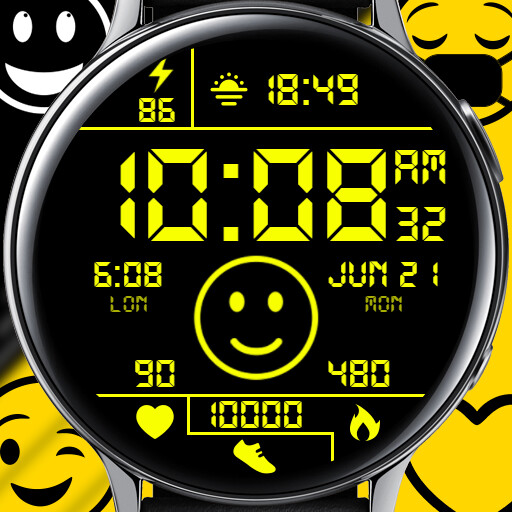
We provide [DW] LED Moji online (apkid: com.digitalwings.ledmoji) in order to run this application in our online Android emulator.
Description:
![Run android online APK [DW] LED Moji from MyAndroid or emulate [DW] LED Moji using MyAndroid](https://images.myandroid.org/images/[dw]ledmojiscreen1.jpg "Run android online APK [DW] LED Moji from MyAndroid or emulate [DW] LED Moji using MyAndroid")
Run this app named [DW] LED Moji using MyAndroid.
You can do it using our Android online emulator.
Make your watch your silent feelings teller, use emojis to express your feelings for others or just to see how you doing for today! not just that it also comes with great customization and colors so that your watch looks stunning yet useful to you!
FEATURES:
* 12/24hrs digital time
* Tap and hold to change background
* Tap and hold to Add image background (Chose other color first as on black it will be empty)
* Tap and hold to Add gradient background
* Tap and hold to add glow (Chose other color first as on black it will be empty)
* Tap and hold to add straps
* Tap and hold to add watch hands
* Tap on emoji to change it's emotion (Over more then 20 emotions to chose from)
* Tap and hold to add colorful emojis two volumes included (First turn off minimal emojis for better results)
* Tap and hold to remove lines
* Tap and hold to add 3 custom complications and 2 app shortcuts with icons
* Tap heart icon or text to measure heart rate
* Tap steps to open Samsung Health app
HOW TO INSTALL WATCH FACE ON YOUR WATCH ?
1st: Connect your watch with your phone via Bluetooth
2nd: Open companion app on your phone and press install button now follow instructions on watch
P.S: If you have redeem code you might see Pay option so try to restart your watch and try above steps again or use Google Playstore Web version to install watch face on your watch
Still facing any issue then download our official app and install watch face from there
https: //play.google.com/store/apps/details?id=com.digitalwings.digitalwingsapp
or email us don't drop bad reviews [email protected]
Freebies Alert: Want free coupons every week ? then download our official app.
https: //play.google.com/store/apps/details?id=com.digitalwings.digitalwingsapp
FEATURES:
* 12/24hrs digital time
* Tap and hold to change background
* Tap and hold to Add image background (Chose other color first as on black it will be empty)
* Tap and hold to Add gradient background
* Tap and hold to add glow (Chose other color first as on black it will be empty)
* Tap and hold to add straps
* Tap and hold to add watch hands
* Tap on emoji to change it's emotion (Over more then 20 emotions to chose from)
* Tap and hold to add colorful emojis two volumes included (First turn off minimal emojis for better results)
* Tap and hold to remove lines
* Tap and hold to add 3 custom complications and 2 app shortcuts with icons
* Tap heart icon or text to measure heart rate
* Tap steps to open Samsung Health app
HOW TO INSTALL WATCH FACE ON YOUR WATCH ?
1st: Connect your watch with your phone via Bluetooth
2nd: Open companion app on your phone and press install button now follow instructions on watch
P.S: If you have redeem code you might see Pay option so try to restart your watch and try above steps again or use Google Playstore Web version to install watch face on your watch
Still facing any issue then download our official app and install watch face from there
https: //play.google.com/store/apps/details?id=com.digitalwings.digitalwingsapp
or email us don't drop bad reviews [email protected]
Freebies Alert: Want free coupons every week ? then download our official app.
https: //play.google.com/store/apps/details?id=com.digitalwings.digitalwingsapp
MyAndroid is not a downloader online for [DW] LED Moji. It only allows to test online [DW] LED Moji with apkid com.digitalwings.ledmoji. MyAndroid provides the official Google Play Store to run [DW] LED Moji online.
