
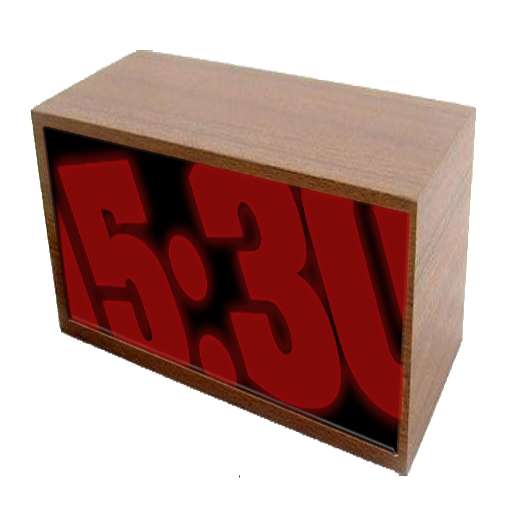
We provide Big Night Clock online (apkid: com.digital.and.dreams.android.night.clock) in order to run this application in our online Android emulator.
Description:
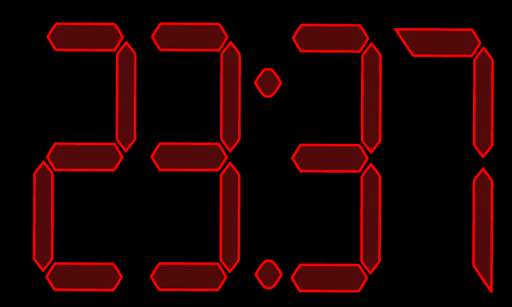
Run this app named Big Night Clock using MyAndroid.
You can do it using our Android online emulator.
Big Night Clock is a small application that displays a large clock on your devices screen.
What makes it different from all others, is the fact that it exploits the ability of the human brain to reconstruct the missing parts of the geometrical figures, in this case the characters that make up the hours and minutes.
So even expanding the numbers on the clock as much as to exceed the physical edge of the device, youll still be able to figure out the right time, with the advantage of being visible from far away.
A great help for those wearing glasses during the day, but dont wear them while theyre in bed.
It is equipped with a number of customizable settings that combine ease of use and completeness.
You can, directly from the main screen:
- Move the clocks digits by swiping.
- Pinch to zoom in/out.
- Rotate it by rotating two fingers on screen.
Other settings are available by pressing your devices "menu" button and selecting the Customize current preset option or by double tapping the screen.
From here you can change:
- Selection and name of the active preset.
There are three configurable presets.
They appear as menu shortcuts.
- Screen brightness.
- Font Color.
- Background color.
- The font to use.
- Display style.
- Borders thickness.
- Borders color.
- Clocks position.
The "Global settings" menu item is where you can:
- Lock the screen, so you do not accidentally move the clock.
- Set the time format AM/PM or 24h.
- Keep the screen on while the phone is charging.
- Keep the screen on while the phone is running on battery.
- Turn off the power when the battery is low.
- Use the "Anti burn in" to avoid this phenomenon.
(*)
From the "Other" menu, you can select:
- About: some information about the application and its authors.
- Set Alarm: a shortcut for setting the alarm on your device.
(**)
- Online Help: open the online help.
(***)
- Online FAQ: open the online Frequently Asked Questions.
(***)
- Online ChangeLog: open the online description of the latest updates.
(***)
- Report a Bug: If you find something wrong that is not described in the online pages, please let us know by sending us an email.
(*) See your devices instructions to check if its screen is more or less sensitive to burn-in (image retention).
(**) Not supported by some devices.
(***) Requires an active internet connection.
What makes it different from all others, is the fact that it exploits the ability of the human brain to reconstruct the missing parts of the geometrical figures, in this case the characters that make up the hours and minutes.
So even expanding the numbers on the clock as much as to exceed the physical edge of the device, youll still be able to figure out the right time, with the advantage of being visible from far away.
A great help for those wearing glasses during the day, but dont wear them while theyre in bed.
It is equipped with a number of customizable settings that combine ease of use and completeness.
You can, directly from the main screen:
- Move the clocks digits by swiping.
- Pinch to zoom in/out.
- Rotate it by rotating two fingers on screen.
Other settings are available by pressing your devices "menu" button and selecting the Customize current preset option or by double tapping the screen.
From here you can change:
- Selection and name of the active preset.
There are three configurable presets.
They appear as menu shortcuts.
- Screen brightness.
- Font Color.
- Background color.
- The font to use.
- Display style.
- Borders thickness.
- Borders color.
- Clocks position.
The "Global settings" menu item is where you can:
- Lock the screen, so you do not accidentally move the clock.
- Set the time format AM/PM or 24h.
- Keep the screen on while the phone is charging.
- Keep the screen on while the phone is running on battery.
- Turn off the power when the battery is low.
- Use the "Anti burn in" to avoid this phenomenon.
(*)
From the "Other" menu, you can select:
- About: some information about the application and its authors.
- Set Alarm: a shortcut for setting the alarm on your device.
(**)
- Online Help: open the online help.
(***)
- Online FAQ: open the online Frequently Asked Questions.
(***)
- Online ChangeLog: open the online description of the latest updates.
(***)
- Report a Bug: If you find something wrong that is not described in the online pages, please let us know by sending us an email.
(*) See your devices instructions to check if its screen is more or less sensitive to burn-in (image retention).
(**) Not supported by some devices.
(***) Requires an active internet connection.
MyAndroid is not a downloader online for Big Night Clock. It only allows to test online Big Night Clock with apkid com.digital.and.dreams.android.night.clock. MyAndroid provides the official Google Play Store to run Big Night Clock online.
