
We provide Autogate Remote online (apkid: com.digicraft) in order to run this application in our online Android emulator.
Description:
Run this app named Autogate Remote using MyAndroid.
You can do it using our Android online emulator.
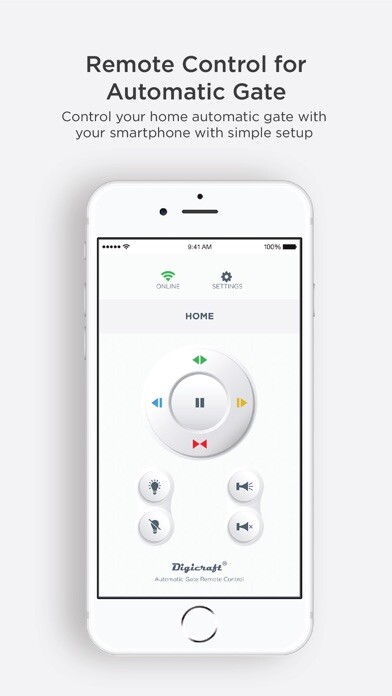
Control your home automatic gate with this Autogate Remote app on your smartphone, simple setup and easy to use.
You can use this app to:
Operate the automatic gate
Operate the security system
Share the remote control with family members
Requirements:
Digicraft compatible Autogate Driver
Digicraft IoTHub accessory
Internet connections
Remote features :
Open gate
Pause motion
Close gate
Open left wing
Open right wing
Lighting control
Panic alarm
Quick start guide :
1.
Install the App
2.
Plug in the Digicraft IoTHub accessory
3.
Simple setup
***Requires a Digicraft IoTHub accessory, available for purchase from your automatic gate dealer***
You can use this app to:
Operate the automatic gate
Operate the security system
Share the remote control with family members
Requirements:
Digicraft compatible Autogate Driver
Digicraft IoTHub accessory
Internet connections
Remote features :
Open gate
Pause motion
Close gate
Open left wing
Open right wing
Lighting control
Panic alarm
Quick start guide :
1.
Install the App
2.
Plug in the Digicraft IoTHub accessory
3.
Simple setup
***Requires a Digicraft IoTHub accessory, available for purchase from your automatic gate dealer***
MyAndroid is not a downloader online for Autogate Remote. It only allows to test online Autogate Remote with apkid com.digicraft. MyAndroid provides the official Google Play Store to run Autogate Remote online.
