
We provide Deskcenter Mobile online (apkid: com.deskcenter.mobile) in order to run this application in our online Android emulator.
Description:
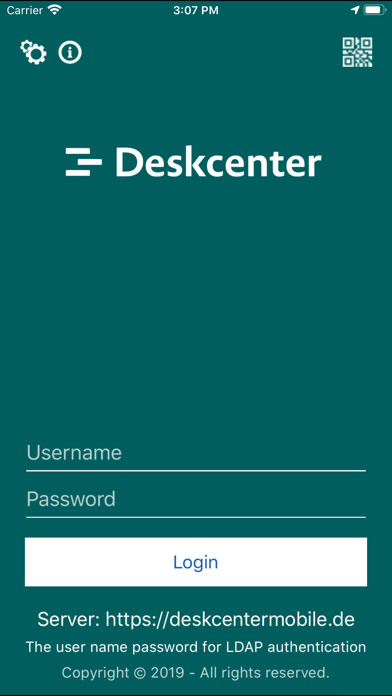
Run this app named Deskcenter Mobile using MyAndroid.
You can do it using our Android online emulator.
Deskcenter Mobile Platform is the security platform that satisfies most of the corporate needs.
The main features of the secure platform are:
Mobile Device Management
LDAP configurable login for the corporates
Location tracking
Capturing and displaying device information
Device status logging
Factory resetting the device
Install applications via app catalog
Advanced policy management: assign policies to users, profiles and define a global policy
Apply policies according to some criteria (based on date, location and Wi-Fi network)
Change password policy
Enforce screen lock pin/password
Change screen lock timeout
Lock screen immediately
Define the frequency of log and location collecting
Violation reporting
+ Additional Features for Samsung Devices
Install applications silently
Block installation / uninstallation of specified applications
Block running of specified applications
Block USB debugging
Manage VPN connections
Set minimum Wi-Fi security requirements (i.e.
block WEP connections)
Block factory reset
Block turning on the Wi-Fi and Bluetooth
Remotely reboot or turn off the device
Block changing date and time
Block using Settings application
Block removing this application
Secure Instant Messaging
Securely connect to corporate peers through our messaging platform.
Get informed on the peers' messages through a secure tunnel.
End-to-end encryption.
File sending.
Secure VoIP Communication
Securely connect to corporate peers through our VoIP platform
Make voice calls using wireless network or mobile network
Receive calls while app is in background
To register
1) Install the application,
2) Click 'Activate Device Admin' button to activate Android Device Admin features,
3) Type in your username (email) and password then click 'Register' button (Please contact for demo credentials).
4) (Samsung only) Click 'Activate Samsung Features' to confirm Samsung E-SDK Privacy Policy and activate Samsung specific device admin features.
To contact us about your questions and problems please use 'Contact' link at http: //mdm-demo.deskcenter.com
PS: This application is intended for enterprises, personal usage is not supported.
The main features of the secure platform are:
Mobile Device Management
LDAP configurable login for the corporates
Location tracking
Capturing and displaying device information
Device status logging
Factory resetting the device
Install applications via app catalog
Advanced policy management: assign policies to users, profiles and define a global policy
Apply policies according to some criteria (based on date, location and Wi-Fi network)
Change password policy
Enforce screen lock pin/password
Change screen lock timeout
Lock screen immediately
Define the frequency of log and location collecting
Violation reporting
+ Additional Features for Samsung Devices
Install applications silently
Block installation / uninstallation of specified applications
Block running of specified applications
Block USB debugging
Manage VPN connections
Set minimum Wi-Fi security requirements (i.e.
block WEP connections)
Block factory reset
Block turning on the Wi-Fi and Bluetooth
Remotely reboot or turn off the device
Block changing date and time
Block using Settings application
Block removing this application
Secure Instant Messaging
Securely connect to corporate peers through our messaging platform.
Get informed on the peers' messages through a secure tunnel.
End-to-end encryption.
File sending.
Secure VoIP Communication
Securely connect to corporate peers through our VoIP platform
Make voice calls using wireless network or mobile network
Receive calls while app is in background
To register
1) Install the application,
2) Click 'Activate Device Admin' button to activate Android Device Admin features,
3) Type in your username (email) and password then click 'Register' button (Please contact for demo credentials).
4) (Samsung only) Click 'Activate Samsung Features' to confirm Samsung E-SDK Privacy Policy and activate Samsung specific device admin features.
To contact us about your questions and problems please use 'Contact' link at http: //mdm-demo.deskcenter.com
PS: This application is intended for enterprises, personal usage is not supported.
MyAndroid is not a downloader online for Deskcenter Mobile. It only allows to test online Deskcenter Mobile with apkid com.deskcenter.mobile. MyAndroid provides the official Google Play Store to run Deskcenter Mobile online.
