
We provide Arduino Home automation online (apkid: com.darkbrothers.automation) in order to run this application in our online Android emulator.
Description:
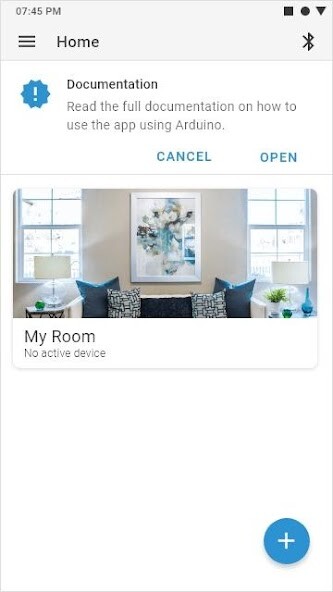
Run this app named Arduino Home automation using MyAndroid.
You can do it using our Android online emulator.
Using this app with micro controllers (Arduino, Raspberry Pi, AVR, ARM etc), HC-05 Bluetooth Module and Relay Module you can control your home appliances using your smartphone remotely.
Read documentaion : http: //unciarobotics.com/project/home-automation-project-with-arduino-using-hc-05/
The basic Arduino code to read data transmitted over Bluetooth is as follows:
const int relay = 2; //pin where Relay is connected
char data; //variable to store data
void setup() {
Serial.begin(9600); //Begin serial communication
pinMode(relay, OUTPUT); //make relay pin as output
}
void loop() {
if (Serial.available() > 0) //if there is data on RX
{
data = Serial.read(); //save it inside variable
if (data == 'a')
{ digitalWrite(relay, HIGH); //Turn ON the Light
Serial.println("Light ON");
}
if (data == 'b')
{ digitalWrite(relay, LOW); //Turn OFF the Light
Serial.println("Light OFF");
}
}
}
}
}
//Copy Paste this code into Arduino IDE and monitor the data on Serial Monitor.
Read documentaion : http: //unciarobotics.com/project/home-automation-project-with-arduino-using-hc-05/
The basic Arduino code to read data transmitted over Bluetooth is as follows:
const int relay = 2; //pin where Relay is connected
char data; //variable to store data
void setup() {
Serial.begin(9600); //Begin serial communication
pinMode(relay, OUTPUT); //make relay pin as output
}
void loop() {
if (Serial.available() > 0) //if there is data on RX
{
data = Serial.read(); //save it inside variable
if (data == 'a')
{ digitalWrite(relay, HIGH); //Turn ON the Light
Serial.println("Light ON");
}
if (data == 'b')
{ digitalWrite(relay, LOW); //Turn OFF the Light
Serial.println("Light OFF");
}
}
}
}
}
//Copy Paste this code into Arduino IDE and monitor the data on Serial Monitor.
MyAndroid is not a downloader online for Arduino Home automation. It only allows to test online Arduino Home automation with apkid com.darkbrothers.automation. MyAndroid provides the official Google Play Store to run Arduino Home automation online.
