

We provide Loyalist online (apkid: com.danielcswain.loyalist) in order to run this application in our online Android emulator.
Description:
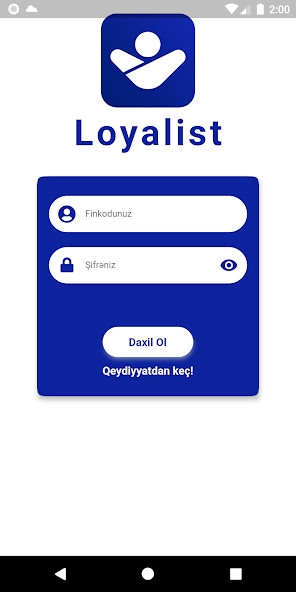
Run this app named Loyalist using MyAndroid.
You can do it using our Android online emulator.
Nowadays, every book store, restaurant, gym and coffee shop have their own loyalty programs.
Likely you've got a lot of cards you either never carry, or you forget to use.
You're at the store, the checkout staff asks for your loyalty card, you get out your wallet and realise, damn, you've left it at home.
Unfortunately, no points for you.
With Loyalist you can leave your cards at home and free up your wallet and pocket space.
No more exploding wallets http: //youtu.be/yoPf98i8A0g?t=2m50s
Create multiple wallets to organise your cards
Have a wallet for your frequent flyers, one for your food/coffee cards, or how about for your coupons and free movie tickers? Otherwise just bundle them into one large list.
Scan your cards and give a bit of order to all your loyalty programs.
Loyalist ensures you'll never forget to bring your card to the store again.
Contact us if you have a feature request or bug to report.
Supported formats
Loyalist supports common loyalty card barcode formats including
EAN-8 & 13
UPC A & E
Code 39 & 128
QR Codes.
A note on Flat-bed Laser scanners
Some flat-bed Laser scanners can't read the barcode off phone screens due to the laser reflecting off the screen glass, not the barcode image.
If your card doesn't scan in store ask the storeperson to enter your barcode manually or to use an optical scanner.
Permissions
CAMERA - For scanning loyalty card barcodes.
WRITE_EXTERNAL_STORAGE - To backup your wallets/loyalty cards to the sdcard.
READ_EXTERNAL_STORAGE - To get wallet/loyalty card backup off sdcard.
INTERNET & ACCESS_NETWORK_STATE - For anonymous usage statistics using Google Analytics, statistics can be disabled in the app settings
Likely you've got a lot of cards you either never carry, or you forget to use.
You're at the store, the checkout staff asks for your loyalty card, you get out your wallet and realise, damn, you've left it at home.
Unfortunately, no points for you.
With Loyalist you can leave your cards at home and free up your wallet and pocket space.
No more exploding wallets http: //youtu.be/yoPf98i8A0g?t=2m50s
Create multiple wallets to organise your cards
Have a wallet for your frequent flyers, one for your food/coffee cards, or how about for your coupons and free movie tickers? Otherwise just bundle them into one large list.
Scan your cards and give a bit of order to all your loyalty programs.
Loyalist ensures you'll never forget to bring your card to the store again.
Contact us if you have a feature request or bug to report.
Supported formats
Loyalist supports common loyalty card barcode formats including
EAN-8 & 13
UPC A & E
Code 39 & 128
QR Codes.
A note on Flat-bed Laser scanners
Some flat-bed Laser scanners can't read the barcode off phone screens due to the laser reflecting off the screen glass, not the barcode image.
If your card doesn't scan in store ask the storeperson to enter your barcode manually or to use an optical scanner.
Permissions
CAMERA - For scanning loyalty card barcodes.
WRITE_EXTERNAL_STORAGE - To backup your wallets/loyalty cards to the sdcard.
READ_EXTERNAL_STORAGE - To get wallet/loyalty card backup off sdcard.
INTERNET & ACCESS_NETWORK_STATE - For anonymous usage statistics using Google Analytics, statistics can be disabled in the app settings
MyAndroid is not a downloader online for Loyalist. It only allows to test online Loyalist with apkid com.danielcswain.loyalist. MyAndroid provides the official Google Play Store to run Loyalist online.
