

We provide Calcnote- Calculator and notes online (apkid: com.daikawaguchi.calc.note) in order to run this application in our online Android emulator.
Description:
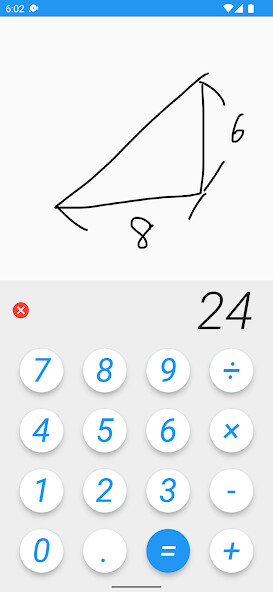
Run this app named Calcnote- Calculator and notes using MyAndroid.
You can do it using our Android online emulator.
-Touch the display part of the calculator and pull it up
-Touch the display again and lower the calculator to draw a line on the canvas
-Draw a zigzag line to the left and right to clear the canvas
-To enter a minus value, press and hold the minus button
-Press and hold the button to enter the percentage.
For example, 1000 + 15 (long press ) = 1,150
-Touch the display again and lower the calculator to draw a line on the canvas
-Draw a zigzag line to the left and right to clear the canvas
-To enter a minus value, press and hold the minus button
-Press and hold the button to enter the percentage.
For example, 1000 + 15 (long press ) = 1,150
MyAndroid is not a downloader online for Calcnote- Calculator and notes. It only allows to test online Calcnote- Calculator and notes with apkid com.daikawaguchi.calc.note. MyAndroid provides the official Google Play Store to run Calcnote- Calculator and notes online.
