

We provide ScanGo online (apkid: com.coopscanandgo.kwallet) in order to run this application in our online Android emulator.
Description:
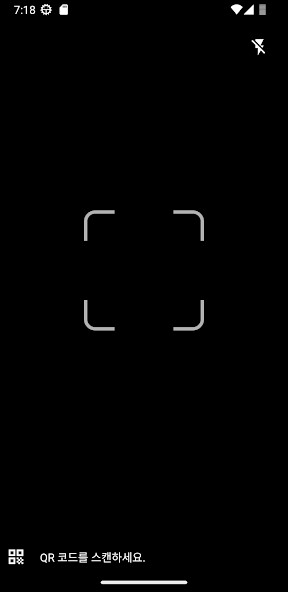
Run this app named ScanGo using MyAndroid.
You can do it using our Android online emulator.
** App of Coop Alleanza 3.0 being tested **
YOUR SHOPPING AT YOUR FINGERTIPS
Log in to the Scan & Go app with the same credentials as the Coop Alleanza 3.0 website, select the store where you are and start shopping.
Choose the products you are interested in, scan the barcode you find on the package and add them to the cart.
PAY BY SMARTPHONE OR IN CASH
Pay directly in the app by scanning the QR code that you find displayed in the exit area of the store, you can use the payment methods you have saved in your digital wallet.
Alternatively, you can go to the cash desks and scan the exit QR code that you will find displayed.
DIGITAL WALLET
Manage your digital wallet and add your credit or debit cards belonging to the Visa, V Pay, Maestro and Mastercard circuits in a few minutes.
If already enabled for payment, you can also set your Coop member card as the default payment method.
YOUR EXPENSES ALWAYS UNDER CONTROL
In the "Your Expenses" area you can find the history of your expenses and download the PDF of all receipts for expenses paid in the app.
Shopping has never been easier and faster!
Scan & Go is an experimental feature and is currently active in the stores of:
- Modena I Gelsi in Via Vignolese, 833, 41125 MODENA, MO
- Ferrara Mazzini in Via Mazzini 35/43 FERRARA, FE
YOUR SHOPPING AT YOUR FINGERTIPS
Log in to the Scan & Go app with the same credentials as the Coop Alleanza 3.0 website, select the store where you are and start shopping.
Choose the products you are interested in, scan the barcode you find on the package and add them to the cart.
PAY BY SMARTPHONE OR IN CASH
Pay directly in the app by scanning the QR code that you find displayed in the exit area of the store, you can use the payment methods you have saved in your digital wallet.
Alternatively, you can go to the cash desks and scan the exit QR code that you will find displayed.
DIGITAL WALLET
Manage your digital wallet and add your credit or debit cards belonging to the Visa, V Pay, Maestro and Mastercard circuits in a few minutes.
If already enabled for payment, you can also set your Coop member card as the default payment method.
YOUR EXPENSES ALWAYS UNDER CONTROL
In the "Your Expenses" area you can find the history of your expenses and download the PDF of all receipts for expenses paid in the app.
Shopping has never been easier and faster!
Scan & Go is an experimental feature and is currently active in the stores of:
- Modena I Gelsi in Via Vignolese, 833, 41125 MODENA, MO
- Ferrara Mazzini in Via Mazzini 35/43 FERRARA, FE
MyAndroid is not a downloader online for ScanGo. It only allows to test online ScanGo with apkid com.coopscanandgo.kwallet. MyAndroid provides the official Google Play Store to run ScanGo online.
