
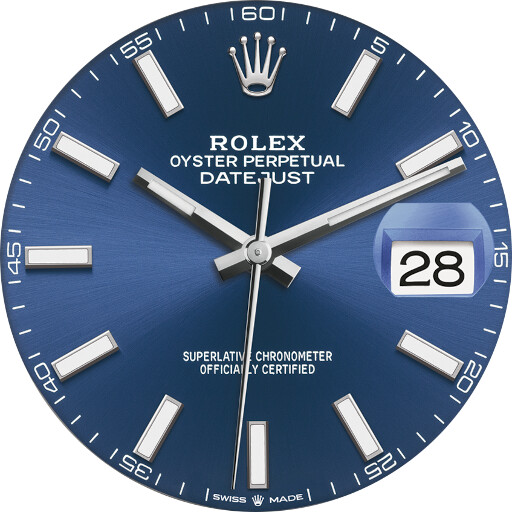
We provide Rolex (unofficial) online (apkid: com.citadelle.du.web.rolex) in order to run this application in our online Android emulator.
Description:
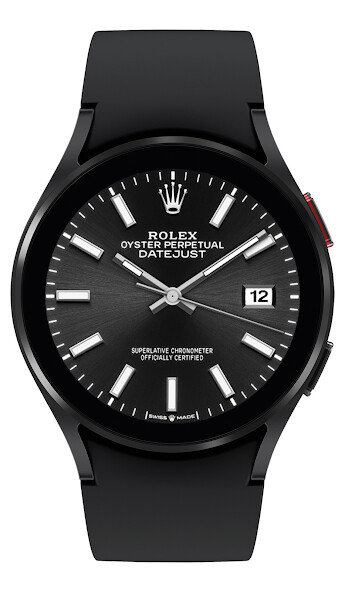
Run this app named Rolex (unofficial) using MyAndroid.
You can do it using our Android online emulator.
The most realistic Rolex on Wear OS.
Choose from a variety of models and colors.
Time to own a digital Rolex!
Beat rate:
28, 800bph
Features:
Select a watch model: Datejust, Day-Date, Daytona, Milgauss, Oyster Perpetual, Submariner, GMT-Master, Explorer
Select a color - more than +50 different dials
Rotate the seconds hand - full revolution
Chronometer - Daytona
Keep time and date just
Supported watch:
All Wear OS compatible devices-round face is highly recommended
Not compatible with Tizen OS nor HarmonyOS
Installation instructions:
To use the watch face you have to download the app from:
Phone-connect your watch to your phone and click "download" in Google Play (it may take several hours)
Phone app-open the phone app and click the "download" button (instant)
Watch-open Google Play Store on the watch and search for "Rolex"
Warning:
Google can ask you to pay twice but don't worry, you will be charged only once.
If Google asks you to pay in loop, you will have to wait until the first payment is validated by Google before being able to install the application.
Choose from a variety of models and colors.
Time to own a digital Rolex!
Beat rate:
28, 800bph
Features:
Select a watch model: Datejust, Day-Date, Daytona, Milgauss, Oyster Perpetual, Submariner, GMT-Master, Explorer
Select a color - more than +50 different dials
Rotate the seconds hand - full revolution
Chronometer - Daytona
Keep time and date just
Supported watch:
All Wear OS compatible devices-round face is highly recommended
Not compatible with Tizen OS nor HarmonyOS
Installation instructions:
To use the watch face you have to download the app from:
Phone-connect your watch to your phone and click "download" in Google Play (it may take several hours)
Phone app-open the phone app and click the "download" button (instant)
Watch-open Google Play Store on the watch and search for "Rolex"
Warning:
Google can ask you to pay twice but don't worry, you will be charged only once.
If Google asks you to pay in loop, you will have to wait until the first payment is validated by Google before being able to install the application.
MyAndroid is not a downloader online for Rolex (unofficial). It only allows to test online Rolex (unofficial) with apkid com.citadelle.du.web.rolex. MyAndroid provides the official Google Play Store to run Rolex (unofficial) online.
