

We provide Save Password online (apkid: com.cidro.lele.password) in order to run this application in our online Android emulator.
Description:
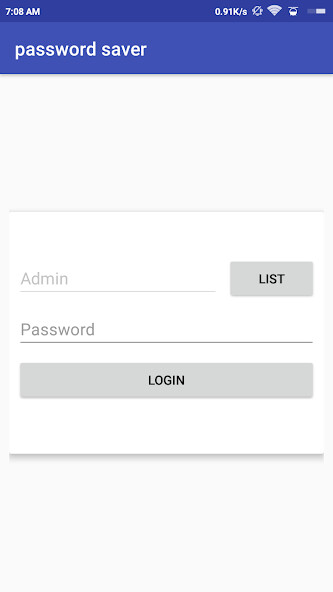
Run this app named Save Password using MyAndroid.
You can do it using our Android online emulator.
Do you find difficult to remember all your passwords and personal data? Do you use the same password for each site? Would you like to create safe passwords? Are you looking for a good way to save all your private data, passwords and whatever?
This application will help you to save your data by remembering always the same password.
-Fast and simple access through a master password.
-Advanced Encryption Standard (AES) data encryption.
-Backup and Data Recovery (restoration possible only if you use the same master password used for backup).
-Create safe passwords with the password generator 8, 12 and 16 characters.
-Create csv file in order to have all the data in tables.
-Sending all backups and csv file (testing with Drive).
-Pleasant graphic, easy and intuitive.
-Search engine to find straight-away your password.
-Around 80 symbols to personalize your salvage.
-Languages used at the moment: English and Italian.
notes:
If you forget the main password you cannot recuperate your data because the synchronisation option is missing.
It's highly recommended to make the backup of cryptographic database on a regular basis, and to save it also on other sources.
Obviously the csv file is not encrypted and data can be read by other people, so, once you use it, it's better to delete it straight-away.
It's possible to close the application in the password-list screen both with the specific button and the home or back one.
It closes the 'application on the screen of the password list is with the dedicated button that with home button or back.
This application will help you to save your data by remembering always the same password.
-Fast and simple access through a master password.
-Advanced Encryption Standard (AES) data encryption.
-Backup and Data Recovery (restoration possible only if you use the same master password used for backup).
-Create safe passwords with the password generator 8, 12 and 16 characters.
-Create csv file in order to have all the data in tables.
-Sending all backups and csv file (testing with Drive).
-Pleasant graphic, easy and intuitive.
-Search engine to find straight-away your password.
-Around 80 symbols to personalize your salvage.
-Languages used at the moment: English and Italian.
notes:
If you forget the main password you cannot recuperate your data because the synchronisation option is missing.
It's highly recommended to make the backup of cryptographic database on a regular basis, and to save it also on other sources.
Obviously the csv file is not encrypted and data can be read by other people, so, once you use it, it's better to delete it straight-away.
It's possible to close the application in the password-list screen both with the specific button and the home or back one.
It closes the 'application on the screen of the password list is with the dedicated button that with home button or back.
MyAndroid is not a downloader online for Save Password. It only allows to test online Save Password with apkid com.cidro.lele.password. MyAndroid provides the official Google Play Store to run Save Password online.
