
We provide S Shot Editor online (apkid: com.chrianutils.gifcapture) in order to run this application in our online Android emulator.
Description:
Run this app named S Shot Editor using MyAndroid.
You can do it using our Android online emulator.
Do you think taking screenshot is complicated?
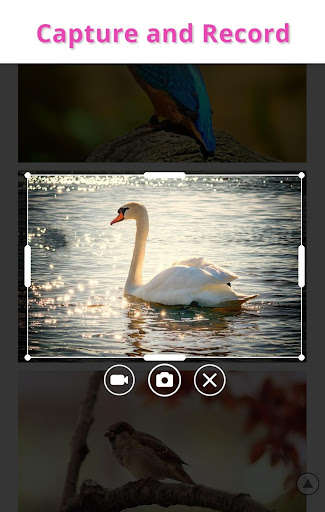
Do you still share a screenshot include unnecessary area?
Now take the screenshot include only with the areas you need
Are you trying to share only screenshots?
How about expressing my thoughts by adding simple letters or sketches?
Create and share your own funny short moves
with picture, video, text, animation
Function
-Screenshot capture
-Screen recording (without voice)
-Combine screenshots
-Add text
-Draw brushes, lines, shapes, etc.
-Added various effects
-Cut into various shapes
-Simple animation effect added
-Export it in JPG, PNG, GIF, MP4 format
-Share videos and photos by SNS, messenger, E-mail, etc.
Purpose
-Record the stage image of your favorite singer
-Share useful information by taking a screenshot and writing additional comments
-Draw your own heart shape, etc., and add animation effects to your loved ones' photos
-Put your own subtitle under the photo of memories
-Make a cartoon by adding a balloon to multiple photos taken at a fun meeting
-Place several short videos on the screen and make them look like animated newspaper
There are many other features.
And we can develop more necessary functions at any time,
so try it out and leave it as a review if it is not enough.
Do you still share a screenshot include unnecessary area?
Now take the screenshot include only with the areas you need
Are you trying to share only screenshots?
How about expressing my thoughts by adding simple letters or sketches?
Create and share your own funny short moves
with picture, video, text, animation
Function
-Screenshot capture
-Screen recording (without voice)
-Combine screenshots
-Add text
-Draw brushes, lines, shapes, etc.
-Added various effects
-Cut into various shapes
-Simple animation effect added
-Export it in JPG, PNG, GIF, MP4 format
-Share videos and photos by SNS, messenger, E-mail, etc.
Purpose
-Record the stage image of your favorite singer
-Share useful information by taking a screenshot and writing additional comments
-Draw your own heart shape, etc., and add animation effects to your loved ones' photos
-Put your own subtitle under the photo of memories
-Make a cartoon by adding a balloon to multiple photos taken at a fun meeting
-Place several short videos on the screen and make them look like animated newspaper
There are many other features.
And we can develop more necessary functions at any time,
so try it out and leave it as a review if it is not enough.
MyAndroid is not a downloader online for S Shot Editor. It only allows to test online S Shot Editor with apkid com.chrianutils.gifcapture. MyAndroid provides the official Google Play Store to run S Shot Editor online.
