
We provide Screen Cast for Screen Mirroring online (apkid: com.castingscreen.screenmirroring) in order to run this application in our online Android emulator.
Description:
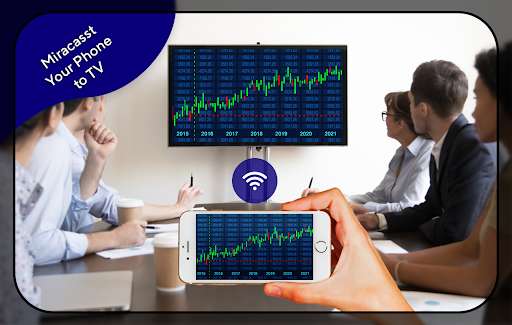
Run this app named Screen Cast for Screen Mirroring using MyAndroid.
You can do it using our Android online emulator.
With the help of the screen cast app on the phone, direct casting phone to TV has not been Tough.
This screen mirroring app for all TV, not only screen mirroring android to Samsung TV.
Do you have lots of questions like How to screen mirroring display phone screen on TV? How to connect your Smartphone with your TV? etc.
Our Screencasting app is helpful for screen sharing to your smart TV: screencasting app for all TV display all kinds of phone screen you can use for miracast screen mirroring mobile screen cast to TV.
So, you can release your hands to watch movies, playing games.
You need the required screen casting feature on your smart TV and your device for screen mirroring.
Screen Mirroring is fast and easy to use to connect the mobile screens to your smart TV.
you need two devices with the same Wifi connection.
if you have screencasting downloading miracast using Wifi, then it easily connects with your smart TV.
How to connect your Smartphone with your TV?
1.
Make sure your TV & Smartphone are connected to the same Wifi network
2.
Turn on screencast application
3.
Select screen mirroring and enable the miracast feature
4.
Select your TV\t
Thanks for choosing our Screen Cast for Screen Mirroring app.
Email: [email protected]
Disclaimer: \t
This Screencast app is not affiliated with or endorsed by any other android developers and this is an unofficial application.
This screen mirroring app for all TV, not only screen mirroring android to Samsung TV.
Do you have lots of questions like How to screen mirroring display phone screen on TV? How to connect your Smartphone with your TV? etc.
Our Screencasting app is helpful for screen sharing to your smart TV: screencasting app for all TV display all kinds of phone screen you can use for miracast screen mirroring mobile screen cast to TV.
So, you can release your hands to watch movies, playing games.
You need the required screen casting feature on your smart TV and your device for screen mirroring.
Screen Mirroring is fast and easy to use to connect the mobile screens to your smart TV.
you need two devices with the same Wifi connection.
if you have screencasting downloading miracast using Wifi, then it easily connects with your smart TV.
How to connect your Smartphone with your TV?
1.
Make sure your TV & Smartphone are connected to the same Wifi network
2.
Turn on screencast application
3.
Select screen mirroring and enable the miracast feature
4.
Select your TV\t
Thanks for choosing our Screen Cast for Screen Mirroring app.
Email: [email protected]
Disclaimer: \t
This Screencast app is not affiliated with or endorsed by any other android developers and this is an unofficial application.
MyAndroid is not a downloader online for Screen Cast for Screen Mirroring. It only allows to test online Screen Cast for Screen Mirroring with apkid com.castingscreen.screenmirroring. MyAndroid provides the official Google Play Store to run Screen Cast for Screen Mirroring online.
