
We provide Boomer Loop Video Maker - Forw online (apkid: com.boomerloop.videomaker) in order to run this application in our online Android emulator.
Description:
Run this app named Boomer Loop Video Maker - Forw using MyAndroid.
You can do it using our Android online emulator.
Boomer Loop Video Maker is a superb Video loop making app that enables you to select two intervals within your Video and play them repeatedly.
By using the app, you can select two captivating intervals then you can watch them in a repeated manner.
After making different loops within videos you can easily download them directly to your phone storage and you also get an option to share that loop with your friends and family circle via messaging or social media sites
If you are giving a presentation or briefing, and intending to show your Video again and again to your audience or want to clear their concepts about any specific point in a Video then you can mark the Video from that point, and make then play in a repetitive manner.
Why choose Boomer Loop Maker?
Choosing this Video app gives you multiple features like,
Turnyour crazymomentsinto funnyvideos,playthem repeatedlyin anendlesssequence,and thensharethem withyour friends.
It is easy to download, install and use.
Lightweight app with User Convenient UI design.
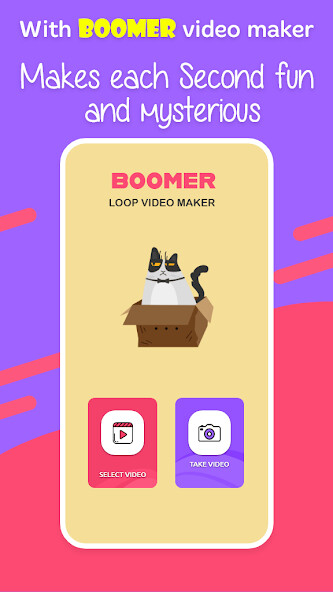
Simply have to download it from a store, and then you will have two options.
You can choose your desired Video from the phone gallery or you can live to capture the video.
There are no Video length restrictions (but it supports Video of more than 2 seconds)
You can select a Video from both phone galleries or directly record the video.
You can control the speed of your loop.
Secondly, you may choose multiple loops from a single video.
There is another amazing feature for you in this app that enables you to add text and stickers to Video loops.
Different fonts for text and Stickers are available which can be used in loops.
And after making different loops, you can share them as well.
You can use both already recorded videos and live videos.
Boomer Loop maker will give you output Video which can be downloaded fastly and shared by a single click to any platform.
How to use:
Open the app, choose the select Video or take video, after that it will take few seconds to give results then there will be a full Video available to you.
You can select different loops and can download them by available button and share them as well
So what are you waiting for? Download this best loop Video maker app and enjoy the superb features.
By using the app, you can select two captivating intervals then you can watch them in a repeated manner.
After making different loops within videos you can easily download them directly to your phone storage and you also get an option to share that loop with your friends and family circle via messaging or social media sites
If you are giving a presentation or briefing, and intending to show your Video again and again to your audience or want to clear their concepts about any specific point in a Video then you can mark the Video from that point, and make then play in a repetitive manner.
Why choose Boomer Loop Maker?
Choosing this Video app gives you multiple features like,
Turnyour crazymomentsinto funnyvideos,playthem repeatedlyin anendlesssequence,and thensharethem withyour friends.
It is easy to download, install and use.
Lightweight app with User Convenient UI design.
Simply have to download it from a store, and then you will have two options.
You can choose your desired Video from the phone gallery or you can live to capture the video.
There are no Video length restrictions (but it supports Video of more than 2 seconds)
You can select a Video from both phone galleries or directly record the video.
You can control the speed of your loop.
Secondly, you may choose multiple loops from a single video.
There is another amazing feature for you in this app that enables you to add text and stickers to Video loops.
Different fonts for text and Stickers are available which can be used in loops.
And after making different loops, you can share them as well.
You can use both already recorded videos and live videos.
Boomer Loop maker will give you output Video which can be downloaded fastly and shared by a single click to any platform.
How to use:
Open the app, choose the select Video or take video, after that it will take few seconds to give results then there will be a full Video available to you.
You can select different loops and can download them by available button and share them as well
So what are you waiting for? Download this best loop Video maker app and enjoy the superb features.
MyAndroid is not a downloader online for Boomer Loop Video Maker - Forw. It only allows to test online Boomer Loop Video Maker - Forw with apkid com.boomerloop.videomaker. MyAndroid provides the official Google Play Store to run Boomer Loop Video Maker - Forw online.
