

We provide Configuration Converter online (apkid: com.bizitagadgets.pubgmconfig) in order to run this application in our online Android emulator.
Description:
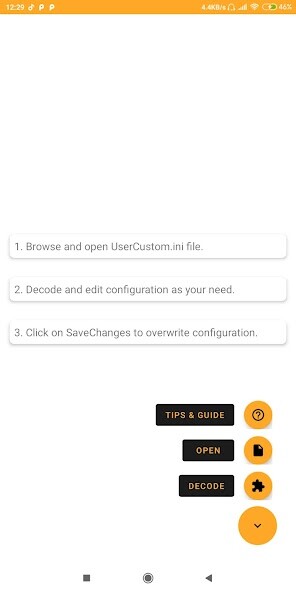
Run this app named Configuration Converter using MyAndroid.
You can do it using our Android online emulator.
This powerfull tool helps you decode/encode configuration code in UserCustom.ini file.
How to use?
1.
Open file picker
2.
Browse for UserCustom.ini file in data directory
3.
Click on decode button
4.
Edit code as your need
5.
Click on save & exit button
6.
Click on save file button
Backup file will be saved in same directory, in case you want to restore.
How to use?
1.
Open file picker
2.
Browse for UserCustom.ini file in data directory
3.
Click on decode button
4.
Edit code as your need
5.
Click on save & exit button
6.
Click on save file button
Backup file will be saved in same directory, in case you want to restore.
MyAndroid is not a downloader online for Configuration Converter. It only allows to test online Configuration Converter with apkid com.bizitagadgets.pubgmconfig. MyAndroid provides the official Google Play Store to run Configuration Converter online.
