

We provide Audio to text - speech to text online (apkid: com.bartvanmeert.speechtotext) in order to run this application in our online Android emulator.
Description:
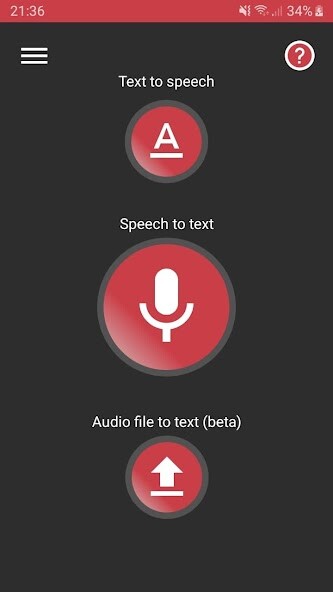
Run this app named Audio to text - speech to text using MyAndroid.
You can do it using our Android online emulator.
About Audio to text - speech to text
Save yourself the trouble of typing messages.
With Audio to text - speech to text, you can convert a spoken message to text and easily send it to others via the devices messaging apps.
You can also just copy the text and use it wherever you like.
Recognised languages include English, German, Italian, Dutch, Spanish, French, Japanese, You can set the preferred language before using the speech function.
There is the possibility to add punctuation marks just by pronouncing them.
Question mark for example.
You can also type in text, have it read in an artificial voice and send this as an audio message to others.
A selection of languages for the voice is available depending on the device.
There is also the option of converting the voice from audio files to text, but this is still an unstable version (will be improved upon in the future).
The audio file needs to be of high quality with a clear voice.
Audio to text - speech to text is viewable in 3 languages: English, French and Dutch and has 4 different colour themes.
Features
Speech to text
Convert voice to text
Send text to others
Copy text
Text to speech
Convert text to voice
Send voice as an audio file to others
Choose from multiple languages for the voice
Convert audio file
Select an audio file with the selection dialog
Play the audio and have the speech recognizer convert the voice to text
Send text to others
Copy text
Save yourself the trouble of typing messages.
With Audio to text - speech to text, you can convert a spoken message to text and easily send it to others via the devices messaging apps.
You can also just copy the text and use it wherever you like.
Recognised languages include English, German, Italian, Dutch, Spanish, French, Japanese, You can set the preferred language before using the speech function.
There is the possibility to add punctuation marks just by pronouncing them.
Question mark for example.
You can also type in text, have it read in an artificial voice and send this as an audio message to others.
A selection of languages for the voice is available depending on the device.
There is also the option of converting the voice from audio files to text, but this is still an unstable version (will be improved upon in the future).
The audio file needs to be of high quality with a clear voice.
Audio to text - speech to text is viewable in 3 languages: English, French and Dutch and has 4 different colour themes.
Features
Speech to text
Convert voice to text
Send text to others
Copy text
Text to speech
Convert text to voice
Send voice as an audio file to others
Choose from multiple languages for the voice
Convert audio file
Select an audio file with the selection dialog
Play the audio and have the speech recognizer convert the voice to text
Send text to others
Copy text
MyAndroid is not a downloader online for Audio to text - speech to text. It only allows to test online Audio to text - speech to text with apkid com.bartvanmeert.speechtotext. MyAndroid provides the official Google Play Store to run Audio to text - speech to text online.
