
We provide Assistive Touch iOS 15 Bubble online (apkid: com.assistivetouch.home.settings.control.back.button.assistanttouch) in order to run this application in our online Android emulator.
Description:
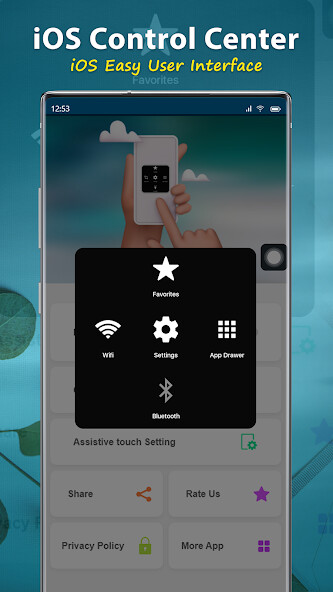
Run this app named Assistive Touch iOS 15 Bubble using MyAndroid.
You can do it using our Android online emulator.
Virtual Home button, easy touch to lock screen and open recent task
- Virtual Volume button, quick touch to change volume and change sound mode
- Virtual Back button
- Clean ram, boost speed, one tap ram booster.
- Easy touch to open your favorite application
- Go to all setting very quick with a touch
NOTE: DON'T REPORT BUGS, SUGGESTION NEW FEATURES VIA COMMENT AND RATE.
PLEASE REQUEST BUG FIX AND IMPLEMENT NEW FEATURES VIA EMAIL: [email protected]
Permission Declarations for Assistive Touch:
+ CAMERA: to turn on Flashlight, not take a photo.
+ READ/WRITE_EXTERNAL_STORAGE: To download and save icon for Assistive Touch.
+ DRAW OVER SCREEN: To show Assistive Touch in over all apps.
+ BIND_ACCESSIBILITY_SERVICE: To allow apps to draw in HOME SCREEN.
App does not use the permission for any other purpose.
The application is only allowed to use this permission with the consent of the user.
- We never publicly disclose any personal or sensitive user data related to financial or payment activities or any government identification numbers, photos and contacts, etc.
This app uses Accessibility services.
Let install and enjoy ^^
Thank for your support
- Virtual Volume button, quick touch to change volume and change sound mode
- Virtual Back button
- Clean ram, boost speed, one tap ram booster.
- Easy touch to open your favorite application
- Go to all setting very quick with a touch
NOTE: DON'T REPORT BUGS, SUGGESTION NEW FEATURES VIA COMMENT AND RATE.
PLEASE REQUEST BUG FIX AND IMPLEMENT NEW FEATURES VIA EMAIL: [email protected]
Permission Declarations for Assistive Touch:
+ CAMERA: to turn on Flashlight, not take a photo.
+ READ/WRITE_EXTERNAL_STORAGE: To download and save icon for Assistive Touch.
+ DRAW OVER SCREEN: To show Assistive Touch in over all apps.
+ BIND_ACCESSIBILITY_SERVICE: To allow apps to draw in HOME SCREEN.
App does not use the permission for any other purpose.
The application is only allowed to use this permission with the consent of the user.
- We never publicly disclose any personal or sensitive user data related to financial or payment activities or any government identification numbers, photos and contacts, etc.
This app uses Accessibility services.
Let install and enjoy ^^
Thank for your support
MyAndroid is not a downloader online for Assistive Touch iOS 15 Bubble. It only allows to test online Assistive Touch iOS 15 Bubble with apkid com.assistivetouch.home.settings.control.back.button.assistanttouch. MyAndroid provides the official Google Play Store to run Assistive Touch iOS 15 Bubble online.
