

We provide Pex : Photo & Selfie Editor online (apkid: com.ak.andro) in order to run this application in our online Android emulator.
Description:
Run this app named Pex : Photo & Selfie Editor using MyAndroid.
You can do it using our Android online emulator.
* With PEX you can improve your photos
By converting them into high-resolution images
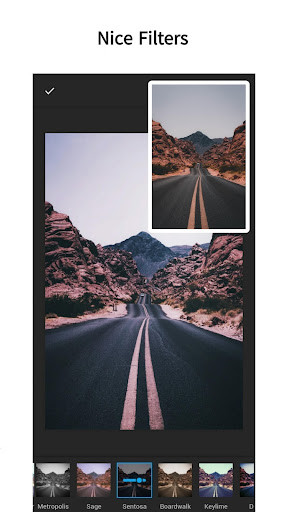
* Add beautiful effects in different wonderful colors
* You can also cut and convert images to many, many ratios
* Through PEX you can control the colors of the image in many forms by controlling :
Brightness
Contrast
Exposure
Overheating
Saturation
shadows
Oscillation
Tincture
Fading
And other important matters
* With PEX you can control :
Sharpness
Include lighting
You can also add motion blur and blur automatically (circular - linear)
And manually, you can comfortably control the laying of the mist around your photo professionally
* With PEX you can change the direction of photos by :
Rotation
direction
* Convert the image horizontally and vertically
* With PEX you can also convert your photos into smart colors in addition to drawing many different colors on them
* PEX helps you to add text and write to photos with many different colors
* Remove defects and bugs from your selfies to be beautiful and pure
* In addition to the possibility of whitening your image and adding white to remove the sun defects
By converting them into high-resolution images
* Add beautiful effects in different wonderful colors
* You can also cut and convert images to many, many ratios
* Through PEX you can control the colors of the image in many forms by controlling :
Brightness
Contrast
Exposure
Overheating
Saturation
shadows
Oscillation
Tincture
Fading
And other important matters
* With PEX you can control :
Sharpness
Include lighting
You can also add motion blur and blur automatically (circular - linear)
And manually, you can comfortably control the laying of the mist around your photo professionally
* With PEX you can change the direction of photos by :
Rotation
direction
* Convert the image horizontally and vertically
* With PEX you can also convert your photos into smart colors in addition to drawing many different colors on them
* PEX helps you to add text and write to photos with many different colors
* Remove defects and bugs from your selfies to be beautiful and pure
* In addition to the possibility of whitening your image and adding white to remove the sun defects
MyAndroid is not a downloader online for Pex : Photo & Selfie Editor. It only allows to test online Pex : Photo & Selfie Editor with apkid com.ak.andro. MyAndroid provides the official Google Play Store to run Pex : Photo & Selfie Editor online.
