

We provide Ditto Connect online (apkid: com.airsquirrels.ditto.sender.android) in order to run this application in our online Android emulator.
Description:
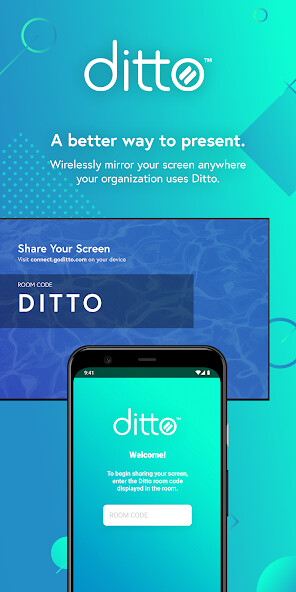
Run this app named Ditto Connect using MyAndroid.
You can do it using our Android online emulator.
Ditto makes screen mirroring so easy that you dont have to think about it.
Connect your device to the big screen in seconds no cables, adapters or confusing technology required.
EASY TO USE
Ditto Connect makes it easy to wirelessly display whats on your screen to everyone in the room.
Simply enter a room code into Ditto Connect and your device will automatically connect to the appropriate Ditto receiver.
Never worry about connecting to the wrong screen or not having the right adapters or technology again.
SAVE TIME
Consider how much meeting or class time is spent trying to figure out how to connect to the primary display.
Thats not a problem anymore.
No more wasted time.
No more frustration.
Screen mirroring with Ditto Connect in any conference room, meeting space or classroom is simple and immediate for anyone who needs to share their screen.
HOW IT WORKS:
\t\t
\tOpen the Ditto Connect app
\tEnter a room code
\tBegin sharing
\t\t
*You will need a Ditto receiver to connect.
Do not expect to download this app and be able to connect to any TV, receiver or display without first setting up a Ditto receiver.
Seriously, that wont work.
To learn more about setting up a Ditto receiver, visit airsquirrels.com/ditto/receivers
Connect your device to the big screen in seconds no cables, adapters or confusing technology required.
EASY TO USE
Ditto Connect makes it easy to wirelessly display whats on your screen to everyone in the room.
Simply enter a room code into Ditto Connect and your device will automatically connect to the appropriate Ditto receiver.
Never worry about connecting to the wrong screen or not having the right adapters or technology again.
SAVE TIME
Consider how much meeting or class time is spent trying to figure out how to connect to the primary display.
Thats not a problem anymore.
No more wasted time.
No more frustration.
Screen mirroring with Ditto Connect in any conference room, meeting space or classroom is simple and immediate for anyone who needs to share their screen.
HOW IT WORKS:
\t\t
\tOpen the Ditto Connect app
\tEnter a room code
\tBegin sharing
\t\t
*You will need a Ditto receiver to connect.
Do not expect to download this app and be able to connect to any TV, receiver or display without first setting up a Ditto receiver.
Seriously, that wont work.
To learn more about setting up a Ditto receiver, visit airsquirrels.com/ditto/receivers
MyAndroid is not a downloader online for Ditto Connect. It only allows to test online Ditto Connect with apkid com.airsquirrels.ditto.sender.android. MyAndroid provides the official Google Play Store to run Ditto Connect online.
