

We provide AES Encryption (256-Bit) online (apkid: coding.fries.aes.encryption.256.free.version) in order to run this application in our online Android emulator.
Description:
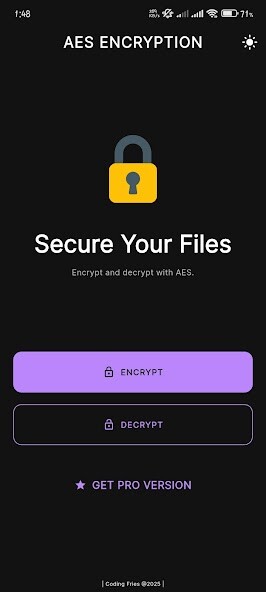
Run this app named AES Encryption (256-Bit) using MyAndroid.
You can do it using our Android online emulator.
Encryption is a way of protecting your files with a password.
This application encrypts your files using 256-Bit AES Encryption Protocol so it would take someone using a brute force attack around "2.29*10^32 years" to unlock your file.
In short, it's one of the best encryptions out there.
With this app, you can encrypt your files in these simple steps.
- Choose a file or multiple files at once
- Enter a password
- Wait for the encryption/decryption to complete
- Your files will be saved in a folder named 'AES Encryption' under storage.
That's all : )
This application encrypts your files using 256-Bit AES Encryption Protocol so it would take someone using a brute force attack around "2.29*10^32 years" to unlock your file.
In short, it's one of the best encryptions out there.
With this app, you can encrypt your files in these simple steps.
- Choose a file or multiple files at once
- Enter a password
- Wait for the encryption/decryption to complete
- Your files will be saved in a folder named 'AES Encryption' under storage.
That's all : )
MyAndroid is not a downloader online for AES Encryption (256-Bit). It only allows to test online AES Encryption (256-Bit) with apkid coding.fries.aes.encryption.256.free.version. MyAndroid provides the official Google Play Store to run AES Encryption (256-Bit) online.
