
We provide AirPhone online (apkid: ca.mbpowertools.airphone) in order to run this application in our online Android emulator.
Description:
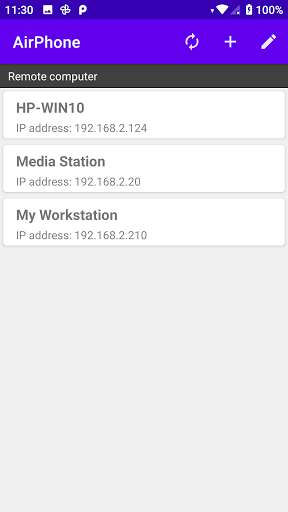
Run this app named AirPhone using MyAndroid.
You can do it using our Android online emulator.
Do you need a wireless headphones for watching movies or listening to music without disturbing your family or roommates? With AirPhone, you'll never hear them tell you to "turn the volume down!" ever again! AirPhone can turn your iPhone/iPod Touch into a wireless HiFi stereo headphones.
Paired with our free AudioServer, you can transmit the non-DRM audio output from any application running on Windows 10 (i.e.
Windows Media Player, Media Center, and iTunes etc.) wirelessly to Android phone/tablet.
Now you can enjoy the sounds that fill your ears, and YOUR ears alone!
Features:
1.
Playback 44.1KHz 16 bits stereo CD quality loseless audio.
2.
Touchpad - Includes all typical touch pad functions plus multi-touch support.
You can use two finger tap on the screen to perform right click and two finger slide on the screen to perform vertical scrolling.
Application requirements:
1.
Android phone/tablet with Android 6.0 and above.
2.
Android phone/tablet has to switch to WiFi mode.
3.
Any PC or laptop running Windows 10 (all 32/64 bits versions).
4.
Android phone/tablet and the AudioServer PC must be on the same subnet.
5.
The AudioServer application must be downloaded and installed on your PC.
Please note: the AudioServer application only captures the audio output from any running applications and transmits that captured audio wirelessly to AirPhone on your Android phone/table.
AudioServer itself does not playback any audio files.
The audio server application can be downloaded from our website:
http: //android.mbpowertools.ca/Download.html
Paired with our free AudioServer, you can transmit the non-DRM audio output from any application running on Windows 10 (i.e.
Windows Media Player, Media Center, and iTunes etc.) wirelessly to Android phone/tablet.
Now you can enjoy the sounds that fill your ears, and YOUR ears alone!
Features:
1.
Playback 44.1KHz 16 bits stereo CD quality loseless audio.
2.
Touchpad - Includes all typical touch pad functions plus multi-touch support.
You can use two finger tap on the screen to perform right click and two finger slide on the screen to perform vertical scrolling.
Application requirements:
1.
Android phone/tablet with Android 6.0 and above.
2.
Android phone/tablet has to switch to WiFi mode.
3.
Any PC or laptop running Windows 10 (all 32/64 bits versions).
4.
Android phone/tablet and the AudioServer PC must be on the same subnet.
5.
The AudioServer application must be downloaded and installed on your PC.
Please note: the AudioServer application only captures the audio output from any running applications and transmits that captured audio wirelessly to AirPhone on your Android phone/table.
AudioServer itself does not playback any audio files.
The audio server application can be downloaded from our website:
http: //android.mbpowertools.ca/Download.html
MyAndroid is not a downloader online for AirPhone. It only allows to test online AirPhone with apkid ca.mbpowertools.airphone. MyAndroid provides the official Google Play Store to run AirPhone online.
