
We provide Baby Lock Lite online (apkid: baby.lock.proapptix.lite) in order to run this application in our online Android emulator.
Description:
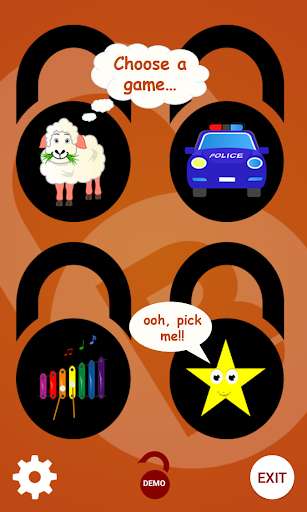
Run this app named Baby Lock Lite using MyAndroid.
You can do it using our Android online emulator.
A fun little app designed to entertain your baby whilst preventing them from accessing any other part of your device.
The PARENTAL LOCK feature is enabled by default and locks the Home, Back and Recent buttons, preventing your baby from leaving the app.
At the same time, the app helps to train your baby NOT to press the Home button by pausing the game-play whenever they do press it and playing a discouraging error noise.
Unlike other locking apps, Baby Lock does NOT require you to alter or change your phone Launcher.
Make sure you (the parent) LEARN THE UNLOCK SEQUENCE before giving your phone to your baby.
If you forget the sequence, simply press the Home button for a short reminder and then wait for the game to resume before trying.
When closing the app, it is recommended you use the EXIT button (rather than Back or Home) to ensure all the locking features are properly disabled.
Your feedback is appreciated so please take a moment to rate and comment or even send an email if you have any suggestions for improvements!!
Thanks!
PERMISSIONS
Baby Lock has no calling feature and does not access your contacts.
The telephone permissions are only required to prevent your baby from answering the phone should a call come in whilst theyre playing.
The PARENTAL LOCK feature is enabled by default and locks the Home, Back and Recent buttons, preventing your baby from leaving the app.
At the same time, the app helps to train your baby NOT to press the Home button by pausing the game-play whenever they do press it and playing a discouraging error noise.
Unlike other locking apps, Baby Lock does NOT require you to alter or change your phone Launcher.
Make sure you (the parent) LEARN THE UNLOCK SEQUENCE before giving your phone to your baby.
If you forget the sequence, simply press the Home button for a short reminder and then wait for the game to resume before trying.
When closing the app, it is recommended you use the EXIT button (rather than Back or Home) to ensure all the locking features are properly disabled.
Your feedback is appreciated so please take a moment to rate and comment or even send an email if you have any suggestions for improvements!!
Thanks!
PERMISSIONS
Baby Lock has no calling feature and does not access your contacts.
The telephone permissions are only required to prevent your baby from answering the phone should a call come in whilst theyre playing.
MyAndroid is not a downloader online for Baby Lock Lite. It only allows to test online Baby Lock Lite with apkid baby.lock.proapptix.lite. MyAndroid provides the official Google Play Store to run Baby Lock Lite online.
