
We provide Auto Blur Editor online (apkid: autoblur.blur.background.photo.editor) in order to run this application in our online Android emulator.
Description:
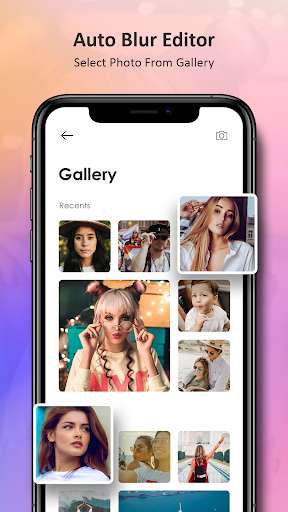
Run this app named Auto Blur Editor using MyAndroid.
You can do it using our Android online emulator.
Auto Blur Editor is perfect combination of beauty and functionality.
And it is Ideal for creating AfterFocus Photo, Focus Photo, Blur Background Pictures, Blur Pictures, Point Blur Picture and many more.
If you have an image taken with no blur camera or blur effects no problem.
You can now put blur background photo effect according to your demand with so many blrurring styles.
Auto Blur Editor has some additional blurring effects such as basic gaussian blur, Box blur, point blur, pixelate blur, Zoom blur, motion blur and Cartoon effect blur.
We will be adding more blurring effects over time.
Auto Blur Editor has both auto and manual photo blur editor to adjust your blurring area.
With the manual blur editor you can adjust or change your blurring area for more perfection.
Features :
- Create a portrait mode blur effect on any smartphone
- Control your blur levels for precise editing
- Enjoy simple and user-friendly interface
- Dont waste your time.
Just one tap to create amazing DSLR focus effect
- Use artificial intelligence magic.
No manual effort is needed anymore
- Share you photos on social media with your friends
And it is Ideal for creating AfterFocus Photo, Focus Photo, Blur Background Pictures, Blur Pictures, Point Blur Picture and many more.
If you have an image taken with no blur camera or blur effects no problem.
You can now put blur background photo effect according to your demand with so many blrurring styles.
Auto Blur Editor has some additional blurring effects such as basic gaussian blur, Box blur, point blur, pixelate blur, Zoom blur, motion blur and Cartoon effect blur.
We will be adding more blurring effects over time.
Auto Blur Editor has both auto and manual photo blur editor to adjust your blurring area.
With the manual blur editor you can adjust or change your blurring area for more perfection.
Features :
- Create a portrait mode blur effect on any smartphone
- Control your blur levels for precise editing
- Enjoy simple and user-friendly interface
- Dont waste your time.
Just one tap to create amazing DSLR focus effect
- Use artificial intelligence magic.
No manual effort is needed anymore
- Share you photos on social media with your friends
MyAndroid is not a downloader online for Auto Blur Editor. It only allows to test online Auto Blur Editor with apkid autoblur.blur.background.photo.editor. MyAndroid provides the official Google Play Store to run Auto Blur Editor online.
