
We provide To Do List Widget online (apkid: apple.com.tapuniverse.todo.list) in order to run this application in our online Android emulator.
Description:
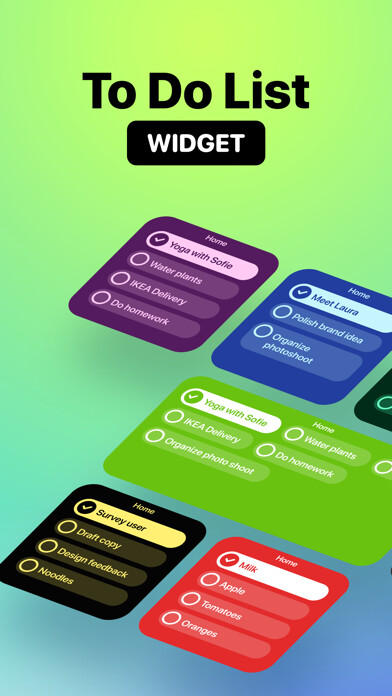
iPhone app To Do List Widget download it using MyAndroid.
Create unlimited To Do lists and add to your Home Screen.
You can open and edit to list directly.
Follow these 3 simple steps to get started:
1.
Create a list in the app.
2.
Add a widget in your preferred size.
3.
Long press to configure the widget.
FEATURES:
- Create unlimited To Do lists.
- Add and Edit lists directly from Home Screen.
- Change colors & font size.
- Support 3 different color styles.
- Support 2 different layouts
To Do List+:
You can subscribe to unlock all features and create unlimited notes.
Subscription auto-renew at the end of current period, unless cancelled 24-hours in advance prior to the end of the current period.
The subscription fee is charged to your iTunes account at confirmation of purchase.
You may manage your subscription and turn off auto-renewal by going to your Account Settings after purchase.
Per Apple policy, no cancellation of the current subscription is allowed during active subscription period.
Once purchased, refunds will not be provided for any unused portion of the term.
Terms of use: https: //tapuniverse.com/terms/
Privacy policy: https: //tapuniverse.com/policy/,
MyAndroid is not a downloader online for To Do List Widget. It only allows to test online To Do List Widget with apkid apple.com.tapuniverse.todo.list. MyAndroid provides the official Google Play Store to run To Do List Widget online.
