

We provide Siedle App online (apkid: apple.com.siedle.sus) in order to run this application in our online Android emulator.
Description:
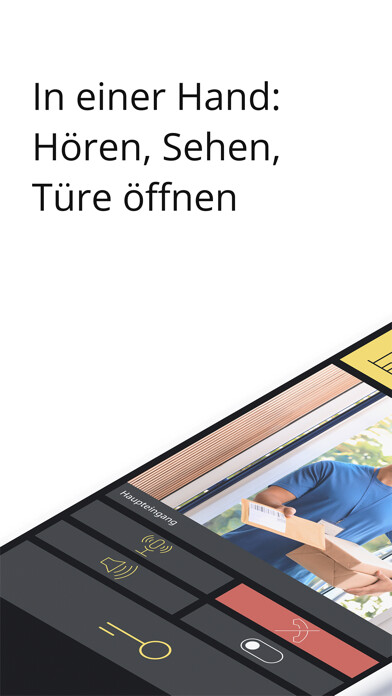
iPhone app Siedle App download it using MyAndroid.
The Siedle App turns the iPhone or iPad into a mobile upgrade of a door intercom system from Siedle: It allows you to see who is standing outside your door, talk to visitors at the entrance and open the door if you choose no matter where you are.
The connection is established via WLAN or via the mobile phone network*.
The Video image is immediately available.
The speech quality fulfills Siedles stringent standards, and the door is opened by pressing the familiar key symbol with a fingertip.
If you have several door intercoms, you can control them together via the Siedle App.
* The Siedle app transmits the audio signal via the data channel of the mobile phone network (VoIP).
Depending on the tarif and contractual conditions of the network provider, this use of the network may be inadmissible or entail costs.
Some providers also attempt to prohibit or restrict VoIP functionality.
The degree of voice quality depends on the local signal strength of the mobile network.
The Siedle app is the mobile complement to a door intercom system.
For this reason, Siedle recommends including a wired indoor station in your system planning alongside the app.
Functions:
Audio and Video door communication
Door release, light switching
Hands-free function
Secure door release function
In-call volume adjustment possible
Microphone muting
Manual door dialing
Accessing the system picture memory
Siedle ringtones
System requirements:
Smart Gateway:
Firmware-version: At least version 2.0 for SG 650 or version 2.0 for SG 150
Active internet connection*
Access Professional:
Access-systemsoftware: At least version 5.1
Active internet connection*
Siedle IQ HTS and IQ HTA:
Firmware-version: At least version 1.1
Active internet connection*
Up to four app users can be connected to one IQ In-house telephone.
To do this, simply add further participants in your already registered Siedle app under the menu item Account - manage other devices.
The frame rate (number of frames per second) of the transmitted Video stream from the Siedle system to the Siedle Server depends on the data transmission rate that is available for this connection at the time of the door call.
The Siedle system dynamically adapts the frame rate to the available bandwidth:
* Minimum bandwidth: 2 MBit/s (approx.
5 frames/second)
* Recommended bandwidth: 4 MBit/s (approx.
10 frames/second)
iPhone / iPad:
iOS version 13.0 or higher
The Siedle App is optimized for iPhone and iPad use.
Stable Wi-Fi or mobile network connection (3G/4G/5G):
The frame rate (number of frames per second) of the transmitted Video stream from the Siedle Server to the Siedle App depends on the data transmission rate that is available for the mobile network connection at the time of the door call:
* Bandwidth 2 MBit/s: approx.
5 frames/second are shown
* Bandwidth 4 MBit/s: approx.
10 frames/second are shown,
MyAndroid is not a downloader online for Siedle App. It only allows to test online Siedle App with apkid apple.com.siedle.sus. MyAndroid provides the official Google Play Store to run Siedle App online.
