
We provide 104.ua online (apkid: apple.com.rgc.104mobile) in order to run this application in our online Android emulator.
Description:
iPhone app 104.ua download it using MyAndroid.
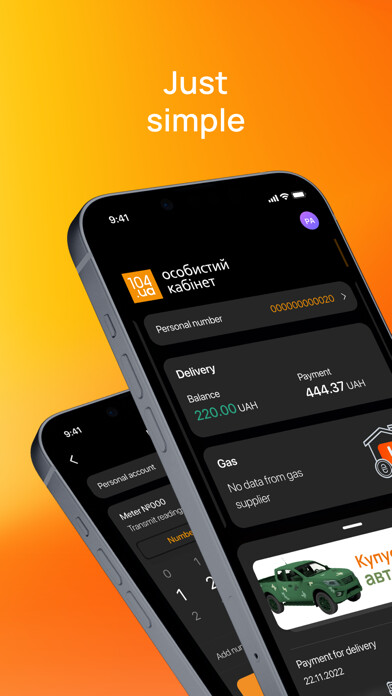
The 104.ua application is designed to submit gas meter readings and to pay for the gas distribution (delivery) service.
The application can be used by customers of the following companies:
Vinnytsiagaz
Volyngaz
Dnipropetrovskgaz
Zhytomyrgaz
Zakarpatgaz
Zaporizhiagaz
Ivano-Frankivskgaz
Kyivoblgaz
Lvivgaz
Mykolaivgaz
Rivnegaz
Sumygaz
Tysmenytsyagaz
Khmelnytskygaz
Chernivtsigaz
Chernihivgaz
Customers of the above-mentioned gas companies will have the opportunity to:
Submit gas meter readings to their Distribution System Operator (DSO), in particular, take photos of the meter and send the image for recognition by artificial intelligence (neural network)
Receive data on monthly gas consumption from the systems of the DSOs; receive operational data on daily consumption, in case the meter is equipped with a modem
Pay online for gas delivery
Receive information about current tariff, the amount of monthly payment for gas delivery and previous payments from the systems of the DSOs
Download the history of payments for gas delivery
Please note: Naftogaz does not cooperate with 104.ua.
Therefore, you wont be able to solve any questions regarding Naftogaz through this application.
Moreover, the service is not available to customers of Dniprogaz, Kryvorizhgaz, Kharkivgaz and Kharkivmiskgaz.
If you have ever registered on the 104.ua website, application or terminals, you can use the login and password for the previously created account.
To use the application, you need access to the Internet and a Ukrainian mobile phone number.
How to get started
1.
Enter Ukrainian mobile phone number.
Read the Privacy Policy and consent to the processing of personal data.
You will receive an SMS message with a 4-digit code that must be confirmed within 24 hours.
2.
If the entered phone number is the login of a previously created account, the application will ask for a password.
Otherwise, the application will ask if you have an account:
click I am a new user, if you have never created an account on 104.ua services before.
The application will create an account linked to the phone number entered on the initial screen, then will prompt you to enter personal data and set a password;
click I have 104.ua account to log in with a previously created account.
Enter your username and click Enter to proceed with entering your password.
If you have forgotten your password, click the corresponding button on the password screen and confirm your login with a 4-digit code.
The application will offer to create a new password.
If you do not have an account, you can create one by clicking the appropriate button instead of Enter.
3.
To protect your account, the application may offer to add another login (you can skip this step).
Requirements for logins and passwords are available on the 104.ua website.
Registration, adding a login, or changing/resetting a password must be completed within 24 hours.
Account management
The app will store information about all the accounts youve successfully logged into.
The application does not store authentication data.
For convenient and secure access to accounts, use biometric authentication.
To manage accounts, click on the round button in the upper right corner.
To remove any account from the application or permanently delete your account with all personal data from the 104.ua system, click Edit account and then Delete account.
Click the delete or remove account button and confirm the action.
There can be up to 25 personal accounts in one 104.ua account.
To manage personal accounts, click on the personal account number at the top of any screen.
To add a personal account from the DSOs system into your 104.ua account, you will have to confirm it using the meter number or the last payment amount.
An active personal account can be removed from Personal account info section.
For more guidance and help, please contact the support service at [email protected].,
MyAndroid is not a downloader online for 104.ua. It only allows to test online 104.ua with apkid apple.com.rgc.104mobile. MyAndroid provides the official Google Play Store to run 104.ua online.
