

We provide URL Pop online (apkid: url.pop) in order to run this application in our online Android emulator.
Description:
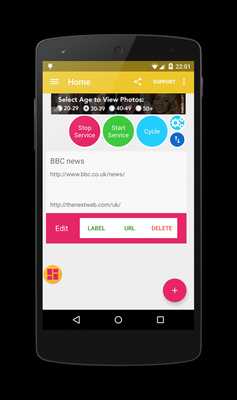
Download this app named URL Pop.
Use the Share feature from your browser to save any URL to your bubble list.Use the floating bubble to pop the URL when working in other apps.
Drag the bubble around the screen.
Your list is saved on your device.
It's private and secure.
Tips:
* Swipe list item to delete or edit it
* Use the settings screen to set preferences
* Toggle the sort button to drag and drop items around
* Drag bubble to the right of screen to hide in notification bar
Features:
* Share URL from your browser
* Manage you list
* Edit, delete and sort items
* Manually add URLs
* Double tap bubble to hide in notification bar
* Start and stop the Copy Pop service
* Works on over 90% of all Android devices
* Choose to show/hide toast notifications
* Enable/disable list animations
* New Material design navigation drawer
Feedback
* if you are experiencing problems, please send me a support email from the app
* Please rate the app in the market
Updates:
Performance tweaks
Free download Android URL Pop from MyAndroid.net
MyAndroid is not a downloader online for URL Pop. It only allows to test online URL Pop with apkid url.pop. MyAndroid provides the official Google Play Store to run URL Pop online.
