
We provide Ucler Remote Presentation online (apkid: ucler.remote.presentation) in order to run this application in our online Android emulator.
Description:
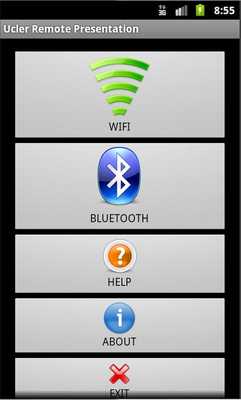
Download this app named Ucler Remote Presentation.
You can remotely control your presentations with Ucler Remote Presentation.You can connect your phone to PC\Laptop with Wi-Fi (Bluetooth is soon) then you can control Slide Show.(like PowerPoint)
You have to install Server on your PC at:
It works on all Windows platform in which Java is installed.
(Yet untested other platform like Linux, MAC OS)
SERVER DOWNLOAD
http: //bayramucler.kolaylastir.com/downloads
or
https: //www.dropbox.com/s/hjzhpmq57lih91n/UclerRemotePresentationServer.jar?dl=0
Updates:
fixed connection speed issues(like latency).fixed latency issue of first time clicking the Wi-Fi button.
fixed bug of the connect button twice clicking.
and developed somethings at Server side, please update that for take effect.
Free download Android Ucler Remote Presentation from MyAndroid.net
MyAndroid is not a downloader online for Ucler Remote Presentation. It only allows to test online Ucler Remote Presentation with apkid ucler.remote.presentation. MyAndroid provides the official Google Play Store to run Ucler Remote Presentation online.
