

We provide SolentGo online (apkid: solentgo) in order to run this application in our online Android emulator.
Description:
Download this app named SolentGo.
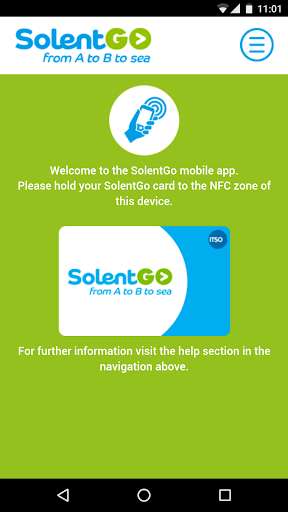
The SolentGo app downloads purchased tickets from the Solent Go website to your existing Solent Go smartcard.To use the app you need to sign up for a Solent Go smartcard first and download the app to your device.
The SolentGo app is compatible with the majority of NFC enabled Android phones and tablets, including Google Nexus 5X, 6P, 7 & 10 devices.
If your Android device does not feature NFC you will not be able to use this app to load purchased tickets to your Solent Go smartcard.
Check you have a compliant Android device & download the app.
Once you have opened the app, present your smartcard to the correct part of the device.
If you are not sure where to place the smartcard we recommend you check with the device manufacturer.
Once you know your device can read your smartcard you are ready to visit the Solent Go website (www.solentgo.co.uk) to purchase your tickets.
To top up simply follow the onscreen instructions.
When you get to the point of choosing your method of collection you will need to select âSolent Go NFC Android Appâ.
Once payment is complete and your order has been confirmed you are ready to load your products onto your smartcard using the SolentGo app.
You are now ready to travel!
The SolentGo app does not replace the Solent Go smartcard, nor can a smartphone or tablet be used as evidence that a valid ticket has been purchased.
Updates:
Supported by more devices
Free download Android SolentGo from MyAndroid.net
MyAndroid is not a downloader online for SolentGo. It only allows to test online SolentGo with apkid solentgo. MyAndroid provides the official Google Play Store to run SolentGo online.
