

We provide Quick Photo Organizer online (apkid: quick.photo.organizer) in order to run this application in our online Android emulator.
Description:
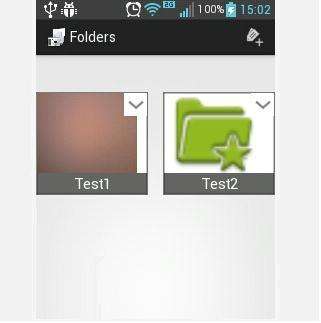
Download this app named Quick Photo Organizer.
By using "Quick Photo Organizer" you will have all your pictures organized to be easily shared and / or edited .It is ideal for lawyers and attorneys or anyone working on tracking records.
How it works?
1) You create a folder with the name you want
2) You click on the folder you want and voila!
3) Take pictures and they will automatically stored in the selected folder.
You can create as many folders as you wish , delete or share (in this case the application makes a zip file of the selected folders ) by WhatApp , email or app you choose .
The application creates a directory called "CamProg" on your SD card, where all the folders created by the user, will be stored.
By holding the click on any of the folders created you will access a viewer where you can view, edit , share, and/or remove every picture you've taken .
Example:
- You create the folder "My Birthday" then with a simple click the camera opens and all photos taken will be stored in "CamProg\My Birthday".
- Then, by making a long click on "My Birthday" you have access to the viewer of all taken photos.
Here you can share photo by photo , edit or delete each one.
Any questions please write to the email of the developer.
Updates:
- Bug fix for devices with Android 4.1 and superior.- New user interface
Free download Android Quick Photo Organizer from MyAndroid.net
MyAndroid is not a downloader online for Quick Photo Organizer. It only allows to test online Quick Photo Organizer with apkid quick.photo.organizer. MyAndroid provides the official Google Play Store to run Quick Photo Organizer online.
