

We provide Quick Cover online (apkid: quick.cover) in order to run this application in our online Android emulator.
Description:
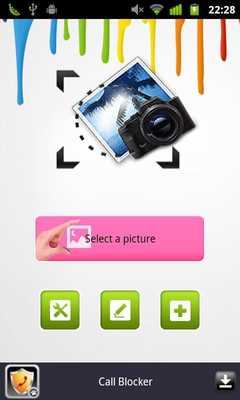
Download this app named Quick Cover.
You can select an image to âprocessâ from your photo album or instantly taking pictures through the camera in your device.Then you need to select various tools to cover the undesired part.
Highlight the subject in the photo with much more fun!
Instructions:
1.
Circle: Tap-drag on the screen to show a circle, and the size of which varies with the distance youâve dragged through.
Release your figure when you have done.
2.
Dotted circle: Tap the dotted circle to resize the created circle by dragging.
3.
Move: Tap to move the circle or the doodle area on the screen.
4.
Doodle: Select to customize the part you want to cover by doodling.
5.
Clear: Tap Clear screen to recover the photo.
In order to have much more fun in the photo processing, the application has a collection of image effects for your chose: black filling, white filling, lovely bubble, fashion colors, Mosaic and black and white negative film.
One touch to share the edited picture with friends! Easy and quick!
Your suggestions and commands are welcome, please contact us through Android Market Comment or e-mail.
Updates:
Updates:1.Optimized Interface
2.Bug fixing
Free download Android Quick Cover from MyAndroid.net
MyAndroid is not a downloader online for Quick Cover. It only allows to test online Quick Cover with apkid quick.cover. MyAndroid provides the official Google Play Store to run Quick Cover online.
