

We provide OpenWnn QWERTY online (apkid: openwnn.qwerty) in order to run this application in our online Android emulator.
Description:
Download this app named OpenWnn QWERTY.
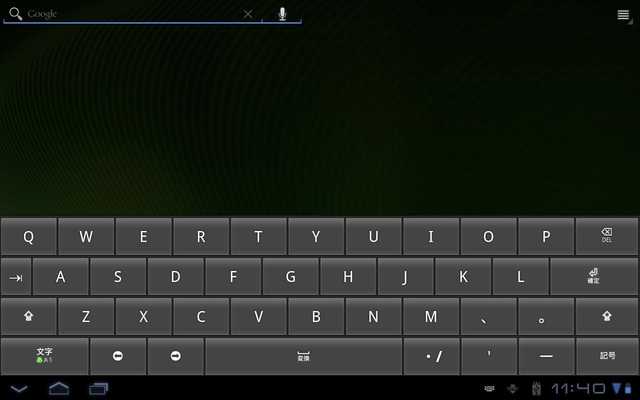
OpenWnn with specialized QWERTY for Tablet* OpenWnn (developed by OMRON SOFTWARE Co., Ltd.
) is a Japanese IME(Input Method Editor) package which works on Android's IMF(Input Method Framework).
The source code is available in the official Android repository.
Please see project website for more information.
Before version up 1.3.5.2.x or higher from 1.3.5.1.x, I recommend to uninstall old version.
Sorry for inconvenience.
[Features]
- support full keyboard (JP/US, BlackBerry, and JP syllabary/pangram)
- When Landscape w/o HardwareKeyboard, show SoftKeyboard
- When Landscape and non-xlarge/large, go to Full Screen Mode
- Adjust key_height on xlarge/large
- Adjust key layout based on 11 Key/line
- When Shift w/ Hiragana, show number key and symbol key
- add preference for HardwareKeyboard
- add preference for Key height
- add transparent skins and preference for keyboard background image
- add preference for candidate lines
- add preference for fullscreen mode
- exclude unused materials for apk
- support the mushroom/candy applications (FYR) (onLongPress(SYM))
- support keycode for API Level 8-11
- support mode/symbol keys on indicator for hardware keyboard
- handling space/up/down keys to select candidate
- add shortcuts to settings and input method picker
- fixed bugs related to accent on H/W keyboard
- fixed invalid area for wide space key
- fixed bugs related to English + Auto Space
- fixed bugs related to InputConnection.getEditable is null (temporary fix)
[Tested Models]
- XPERIA 2.3.3
- ICONIA A500 3.2
Updates:
Ver.1.3.5.2.9- add shortcuts to settings and input method picker
- fixed invalid area for wide space key
- fixed crash bugs when the short commit text was returned from InputConnection
Ver.1.3.5.2.8
- handling space/up/down keys to select candidate
- add preference for candidate lines
- add preference for fullscreen mode
- support mode/symbol keys on indicator for hardware keyboard
- support devices that is uninstall Gallery/Gallery3D
- adjust vertical correction of keys
Free download Android OpenWnn QWERTY from MyAndroid.net
MyAndroid is not a downloader online for OpenWnn QWERTY. It only allows to test online OpenWnn QWERTY with apkid openwnn.qwerty. MyAndroid provides the official Google Play Store to run OpenWnn QWERTY online.
