

We provide My BWT Softener online (apkid: my.bwt.softener) in order to run this application in our online Android emulator.
Description:
Download this app named My BWT Softener.
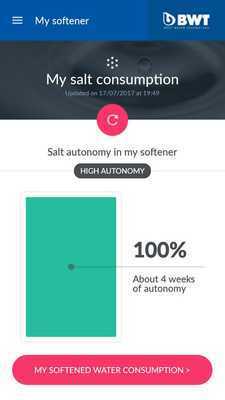
With the application "My BWT water softener":- Check the remaining regenerating salt level and the autonomy of your softener
- Follow the softened water consumption of your home
- Spot peaks in water consumption
- Detect any leakages in the case of overconsumption of water
- Find the history of water consumption per day, per week and per month
- Access to all BWT services: purchases of consumables and after sales service contact
How it works?
1) Getting Started
- Download the app on GooglePlay
- Activate the Bluetooth function and the geolocation of your smartphone
- Launch the application near your water softener
- Create your account on the application
- The synchronization with the softener starts automatically
- After a few seconds of synchronization, your application is connected to your softener
2) To check your consumption
When first used, then with each salt refill
- After the salt refill, press the SEL / SALT button on your softener for 5 seconds
- The message "LEVEL" appears on the screen of the softener
- Using the (up) and (down) keys, select the level of salt reached in the salt container of the softener as indicated on the scale
- Start synchronization on your application
- The salt level is updated!
To get updated data, just open the application next to the softener and activate your Bluetooth!
Updates:
- Improvement synchronization
Free download Android My BWT Softener from MyAndroid.net
MyAndroid is not a downloader online for My BWT Softener. It only allows to test online My BWT Softener with apkid my.bwt.softener. MyAndroid provides the official Google Play Store to run My BWT Softener online.
