
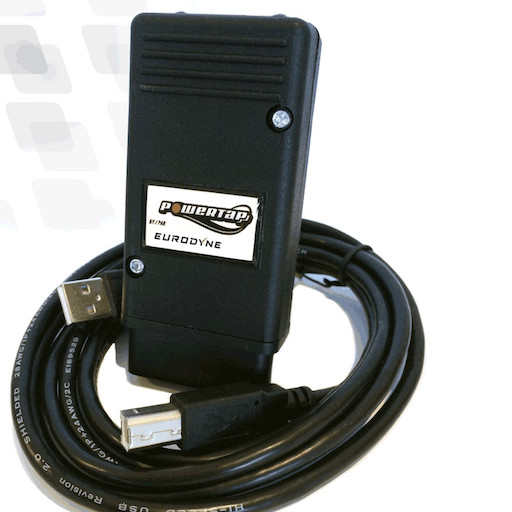
We provide MQB Tune Adjuster online (apkid: mqb.tune.adjuster) in order to run this application in our online Android emulator.
Description:
Download this app named MQB Tune Adjuster.
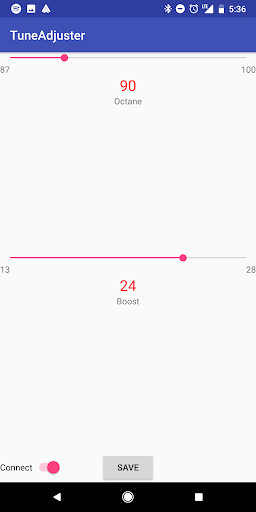
Adjust the Boost and Octane on your Mk7/MQB Eurodyne tune without booting Windows!This works with the commonly available Elm327 Bluetooth dongles used with other Android data logging apps.
To use:
1) Pair your dongle in the Android Bluetooth settings.
The passcode is usually 1234.
2) Turn the ignition on in your vehicle.
3) Start the app
4) Slide the Connect slider to the right
5) Pick your OBDII device, usually called OBDII
6) Wait 10-20 seconds.
At this point you should see your settings.
You can adjust the sliders and hit Save to adjust the settings.
Slide the slider to the left to disconnect and relinquish the Bluetooth device if you want to use it with another app later.
Press Back to fully exit the app and stop the Foreground Service.
Source code is available at https: //github.com/bri3d/EurodyneTuneAdjuster
Updates:
* Switch to Compatibility library for Notifications, which should make Android 6 devices start to work again.
Free download Android MQB Tune Adjuster from MyAndroid.net
MyAndroid is not a downloader online for MQB Tune Adjuster. It only allows to test online MQB Tune Adjuster with apkid mqb.tune.adjuster. MyAndroid provides the official Google Play Store to run MQB Tune Adjuster online.
