

We provide MCBackup online (apkid: mcbackup) in order to run this application in our online Android emulator.
Description:
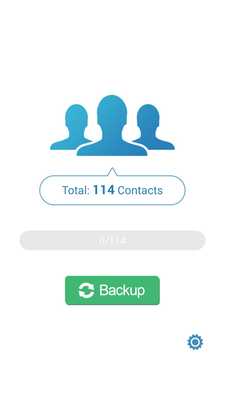
Download this app named MCBackup.
My Contacts Backup is the easiest way to backup and restore your contacts all from your phone without needing a computer or synchronization.You can backup all your contacts with a single touch and send yourself as a .vcf attachment via email.
All contacts can then easily be restored any time by simply opening .vcf file in your mailbox.
Key Features:
* Offline Backup.
No need to sync to any server.
Just email the backup file to yourself.
* Your adress book is secure and safe.
We don't access or store your contacts.
* Easy restore.
No need to any app to restore backup file.
Just tap on the *.vcf backup file in the Android or iPhone mail client.
* Easily transfer contacts between Android or iPhone devices using just email client.
* Copy backup file to your computer via USB cable feature.
* Set REMINDER to backup regularly (weekly or monthly)
* Backup Contacts as VCF (VCard)
----------
IMPORTANT NOTE: After sending backup file (*.vcf) to yourself, please check your inbox if message arrived and contains attachment (backup file).
Sometimes email providers block attachments if attachment size is too large.
Try with another mail account if possible, to send your backup file.
Or copy backup file (on SD card) to your computer via USB cable.
----------
Updates:
* Minor bugfixes
Free download Android MCBackup from MyAndroid.net
MyAndroid is not a downloader online for MCBackup. It only allows to test online MCBackup with apkid mcbackup. MyAndroid provides the official Google Play Store to run MCBackup online.
