

We provide Malay OCR Data-Camera Scanner online (apkid: malay.ocr.data.camera.scanner) in order to run this application in our online Android emulator.
Description:
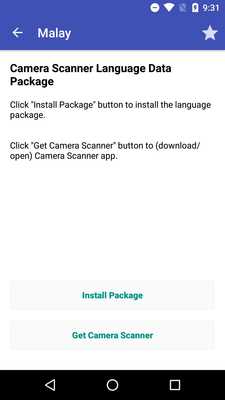
Download this app named Malay OCR Data-Camera Scanner.
Malay OCR Data for Camera ScannerQ&A:
1.How to use the OCR data package?
Install the specific language package and open it.
Then press “Install Package” button to install the data (if you haven’t installed the Camera Scanner app, you need to install it first).
Open the Camera Scanner app and press OCR button on one picture to recognize text from the picture!
2.How to remove the OCR data from your phone:
Open the Camera Scanner app.
Then goto “settings/OCR Language Data Manage” screen.
Delete the specific data.
If you have any problems , please give us a feedback:
Camera Scanner : https: //play.google.com/store/apps/details?id=com.camerascanner.pdfconverter
E-mail: [email protected]
Facebook: https: //www.facebook.com/scannerprofree
Twitter: https: //twitter.com/scannerprofree
Tumblr: http: //scannerprofree.tumblr.com
Website: http: //www.scanner-pro.com
Updates:
Free download Android Malay OCR Data-Camera Scanner from MyAndroid.net
MyAndroid is not a downloader online for Malay OCR Data-Camera Scanner. It only allows to test online Malay OCR Data-Camera Scanner with apkid malay.ocr.data.camera.scanner. MyAndroid provides the official Google Play Store to run Malay OCR Data-Camera Scanner online.
