
We provide KreenK Recorder online (apkid: kreenk.recorder) in order to run this application in our online Android emulator.
Description:
Download this app named KreenK Recorder.
is the best app to record the screen of your phone.It does NOT require root access, no time limit, no watermark, ad free and very easy to use with one action to start and stop recording.
This screen recording app will let you make beautiful screen cast videos and photos by providing every feature that you need in a simple and elegant user experience design.
KreenK Recorder recorder lets you record your screen to HD and FullHD videos and Photos, it is the only screencast app in the Android market that can be paused and resumed while recording.
You can also record audio from the mic and it is automatically mixed into the screencast videos.
That makes it very convenient to create awesome tutorials, promotional videos, comment about your game and application or record Video chat.
The floating window always staying on top will let you snap at the exact moment on any screen.
In the settings, you can enable screen touches so the people who are watching your videos will know exactly what you are doing.
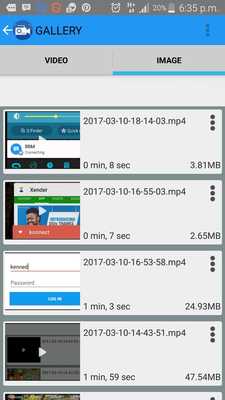
Additionally, there are many other features in this free screen recorder such as setting Timer, Video resolution, bit-rate, screen orientation, customized timer to stop, saving directory selection, view/share or delete your recorded videos.
All of them are free for you!
Our goal is to develop the best free screen recorder that makes everyone satisfied but if you want to support Us:
â Magic button : a button that controls your recording without showing anything on the screen.
Thus, your Video viewers will focus on the app, the game or whatever you want to screen cast.
â Overlay front camera : you can record your face and your emotions in a small overlay window, which can be dragged freely to any position on the screen and customized to any size and opacity.
â Countdown timer : is there something you have to prepare before recording ? Don't worry, the countdown timer will wait until you are ready to start and snap at the moment you want.
â Draw on screen : this unique feature is huge when making a tutorial.
You can emphasize, draw a symbol or mark something with any chosen color directly on your screen.
â Trim videos : the screen cast can be long and contains unnecessary information, you can trim the parts you don't want to make your videos even more impressive.
Thanks
If you have any feedback, bug reports, suggestions or you can help with the translations, please contact us at [email protected]
Updates:
High Quality Audio Recorder AddedImproved HD Video Record
Free download Android KreenK Recorder from MyAndroid.net
MyAndroid is not a downloader online for KreenK Recorder. It only allows to test online KreenK Recorder with apkid kreenk.recorder. MyAndroid provides the official Google Play Store to run KreenK Recorder online.
