
We provide Hue Control online (apkid: hue.control) in order to run this application in our online Android emulator.
Description:
Download this app named Hue Control.
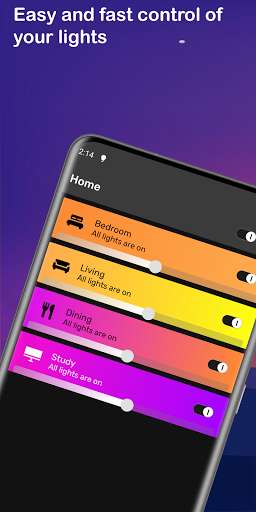
Hue Control allows you to control your Philips Hue lights quickly and conveniently right from your lock screen or Android wearable.Organize your lights into groups and quickly change their color by adding your own color presets for maximum efficiency.
This app allows you to configure your lights, preview colors before setting them and switching between multiple bridges in seconds.
The widgets then allow you to have full control over your lights without ever opening the app again!
Features
- Widgets for your home and lock screens to toggle lights and set colors without ever unlocking your phone
- Android Wear integration for controlling your lights from your watch or other Android wearable
- Interactive dimmer and color pickers on your watch screen
- Shows the current color of all your lights
- Control all of your lights or lights in groups instantly with on/off switches and presets
- Reconnects to your bridge without any delay upon opening the app
- Groups automatically synchronize between different devices
- Different widgets can control entirely different bridges on your network
Updates:
Version 1.3 includes Android Wear support, for controlling Hue lighting in your home right from your Android wearable.Use the notification that pops up for basic control on on the watch, use Start, then Hue Control for advanced controls including interactive brightness and color control.
1.3.2 improves bridge discovery.
1.3.3-4 bugfixes for widgets.
1.3.5 layout improvements for round Android Wear watches
Free download Android Hue Control from MyAndroid.net
MyAndroid is not a downloader online for Hue Control. It only allows to test online Hue Control with apkid hue.control. MyAndroid provides the official Google Play Store to run Hue Control online.
