

We provide Future Theme GO Power Master online (apkid: future.theme.go.power.master) in order to run this application in our online Android emulator.
Description:
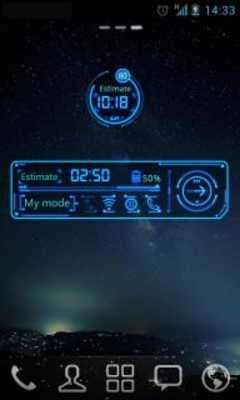
Download this app named Future Theme GO Power Master.
âBrief introductionThe future theme is designed for GO Power Master Systerm Widget.
âImportant tips
1.
Make sure you have installed the latest version of GO Power Master and upgrade to the full version.
2.
Open the GO Power Master and click the "Widget Theme" icon in the home screen.
3.
Find the theme you have installed in "Syterm Widget" or "GOWidget".
âHow to add a Systerm Widgetï¼
1.
Press âmenuâ- choose âaddâ-choose âWidgetsâ-Find GO Power Master
2.
Make sure you have enough space for placing the widgets
Updates:
No recent changes
Free download Android Future Theme GO Power Master from MyAndroid.net
MyAndroid is not a downloader online for Future Theme GO Power Master. It only allows to test online Future Theme GO Power Master with apkid future.theme.go.power.master. MyAndroid provides the official Google Play Store to run Future Theme GO Power Master online.
