

We provide Fairphone Proximity Sensor online (apkid: fairphone.proximity.sensor) in order to run this application in our online Android emulator.
Description:
Download this app named Fairphone Proximity Sensor.
** Requires Fairphone OS 1.6.2 **The built-in Proximity Sensor tool offers you a way to recalibrate the proximity sensor.
You should use this tool if you have trouble with the automatic management of your screen while in a phone call.
The correct behavior for your screen is to turn off when your phone is close to your ear and turn back on when you move the device away from your ear.
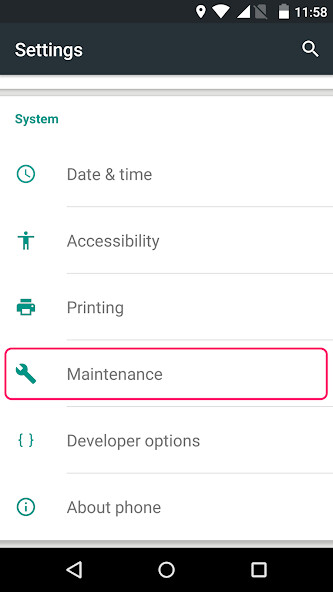
The Proximity Sensor tool is available under to Settings â Maintenance â Proximity sensor.
Updates:
* Better proximity sensor behavior, even if the screen is dirty or if there is dust behind the sensor lens* Clearer status messages
* Consistent styling with other Fairphone apps
* Display of a dialog on incompatible devices
* Jump to the last screen if the device needs to be rebooted due to a previous calibration
Free download Android Fairphone Proximity Sensor from MyAndroid.net
MyAndroid is not a downloader online for Fairphone Proximity Sensor. It only allows to test online Fairphone Proximity Sensor with apkid fairphone.proximity.sensor. MyAndroid provides the official Google Play Store to run Fairphone Proximity Sensor online.
