
We provide Easy Hebrew Typing Keyboard: English to Hebrew online (apkid: easy.hebrew.typing.keyboard.english.to.hebrew) in order to run this application in our online Android emulator.
Description:
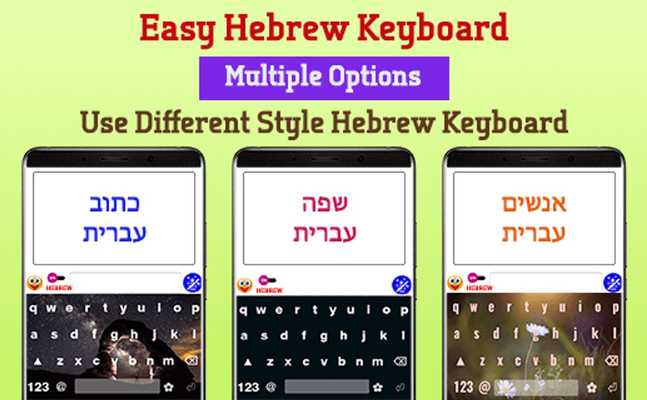
Download this app named Easy Hebrew Typing Keyboard: English to Hebrew.
Now it is very easy to type in Hebrew from English keyboard.When you type any word of Hebrew in English, This Hebrew Keyboard translates in Hebrew from English keypad in real time as you complete typing word for Android devices.
This Hebrew keyboard will allow you to write any text in Hebrew as well in English at the same time with the use of toggle button on a keyword to switch between Hebrew and English.
Also when you are going to write text, as default it will write Hebrew words but if you want to write English at any time you can switch between English typing and Hebrew Typing within the keyboard.
Now, its never difficult to type words in Hebrew with English to Hebrew as this Keyboard translate in Hebrew from English keypad easily and in real time.
Now anyone can write Hebrew even if they donât know how to type in Hebrew with this inbuilt English to Hebrew converter as this supports
Hebrew Typing from English Keypad automatically within Hebrew keyboard.
Hebrew lovers, use this English to Hebrew typing Keyboard for Hebrew input through default English keypad and can chat in Hebrew on social media, you just write in English keypad and get easy Hebrew Words.
Hebrew input from English Keyboard is very much useful for post status on social media in Hebrew.
This easy Hebrew Typing Keyboard App helps you to communicate with the world in your local Hebrew language and get the personal touch.
You can change language English to Hebrew or Hebrew to English from the keyboard itself.
With Hebrew English keyboard you can write all Hebrew Alphabets, letters and words that translate English to Hebrew.
Other apps need to copy English word and paste and get Hebrew word but with this Hebrew Typing keyboard app, you can get English to Hebrew translation itself in the keyboard.
How TO SET:
1.Start Easy Hebrew Typing Keyboard: English to Hebrew App .
2.Enable Keyboard select Easy Hebrew Typing Keyboard - English to Hebrew option.
3.Select Keyboard set English to Hebrew - Easy Hebrew Typing Keyboard option.
4.Choose Theme -:
- Set Background Color & Font Color for keyboard as per your choice.
- Select beautiful keyboard Background from gallery or camera.
- Select font as per your choice.
- See the keyboard preview and set keyboard for your device.
5.Setting-:
- Set Vibrate on key.
- Set Popup On Key.
- Set Auto Capitalization.
- Set Sound On/Off When Press key.
Updates:
Free download Android Easy Hebrew Typing Keyboard: English to Hebrew from MyAndroid.net
MyAndroid is not a downloader online for Easy Hebrew Typing Keyboard: English to Hebrew. It only allows to test online Easy Hebrew Typing Keyboard: English to Hebrew with apkid easy.hebrew.typing.keyboard.english.to.hebrew. MyAndroid provides the official Google Play Store to run Easy Hebrew Typing Keyboard: English to Hebrew online.
