
We provide DSLR Blur Camera: Auto Focus online (apkid: dslr.blur.camera.auto.focus) in order to run this application in our online Android emulator.
Description:
Download this app named DSLR Blur Camera: Auto Focus.
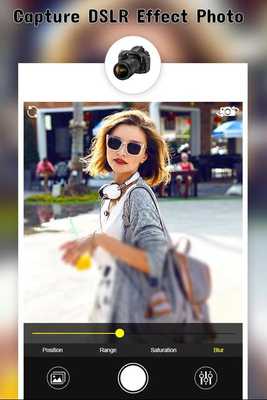
==> DSLR Camera is the best photo blur tool to blur image background and create real DSLR Camera effect.==> DSLR Camera Blur Effect is a photography app to make your photo with best effective blur styles.
==> DSLR Camera is an app for blurring images for unwanted area.
==> Blur image is was never easy before DSLR Camera â Blur Background.
=====>>> App features <<<=====
==> Two types of blur effects: Linear Blur Effect and Radial Blur Effect
==> Photo Enhancing tools like brightness, contrast, Exposure, Saturation and Warmth level of the photo.
==> Apply different Photo filter effects.
==> Easy user interface and easy to use.
==> Focus Blur: Leaves other part of the image blur other them focused past.
==> You can adjust the level of blur effect.
==> Direct share from the app itself to facebook, whatsapp, and other social apps and sites.
=====>>> How to use <<<=====
==> Take a new photo or select one from your gallery or Camera
==> Crop image.
==> Blur image background on finger movement
==> Use Photo editing tools like Undo, Redo, Brush Size and more to accurately blur photos.
==> Touch to Zoom-in and Zoom-Out.
==> Save Your Photo in SD Card
==> Share your blur image background photos with your friends and family Via Social Media.
Thank You.!!!
Updates:
** Fix Small Bugs **** Improve Performance **
Free download Android DSLR Blur Camera: Auto Focus from MyAndroid.net
MyAndroid is not a downloader online for DSLR Blur Camera: Auto Focus. It only allows to test online DSLR Blur Camera: Auto Focus with apkid dslr.blur.camera.auto.focus. MyAndroid provides the official Google Play Store to run DSLR Blur Camera: Auto Focus online.
