
We provide DarkYellow LINE Launcher theme online (apkid: darkyellow.line.launcher.theme) in order to run this application in our online Android emulator.
Description:
Download this app named DarkYellow LINE Launcher theme.
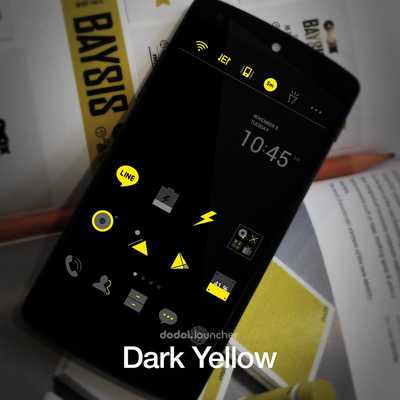
Dark icons with yellow highlights.Bling Bling! *0*
You can make your phone shine in the dark with the 'Dark Yellow Dodol Launcher Theme'.
* Apply the theme to transform your background screen, icon and launcher widget! : D
* How to apply a theme
- Install LINE Launcher (if you haven't yet).
- Press the home button and set the LINE Launcher as the default home launcher by selecting [Use as default value for this task] or [Always].
- Open the launcher menu by swiping the home screen upwards, select the [Theme] menu, then select and apply the theme of your choice.
***Customer Support***
- Facebook: https: //www.facebook.com/linelauncher
***Precaution***
- Is available only in Android ver.
4.0.3 and above (ICS, Jellybean)
- Some functions cannot be applied in certain devices.
Updates:
Free download Android DarkYellow LINE Launcher theme from MyAndroid.net
MyAndroid is not a downloader online for DarkYellow LINE Launcher theme. It only allows to test online DarkYellow LINE Launcher theme with apkid darkyellow.line.launcher.theme. MyAndroid provides the official Google Play Store to run DarkYellow LINE Launcher theme online.
