
We provide Clipboard Sync Multi-Platform online (apkid: clipboard.sync.multi.platform) in order to run this application in our online Android emulator.
Description:
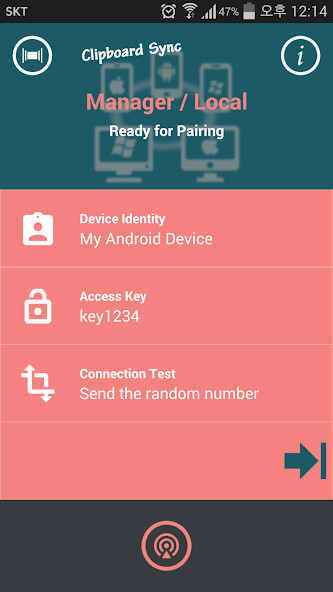
Download this app named Clipboard Sync Multi-Platform.
Install each OS app for your device in the same network class and touch the connect button for tethering.You can connect multiple devices at the same time with a group by same Access Key.
You do not need to enter the IP Address, it will be automatically connected.
And you can immediately transfer text to the clipboard of the connected device by touch.
For example, created text on PC or Mac can be pasted in the edit box of Android or iOS phone.
You can also transfer the URL from the phone to Mac or another smartphone.
In case of URL, the browser will be run immediately by one touch.
Of course, You can paste to the input box of browser.
[Notes]
If there are simultaneous users of this app within the same network class,
all devices of same Access Key will be connected.
In this case, Please enter the Access Key of your only.
Only devices with the same Access key will be connected.
You can download this app directly from the links below for Windows and Mac.
Android and iOS apps are available for download from Apple's App Store and Google.
http: //c2design5sh.blogspot.kr/2015/04/clip.html
Updates:
Free download Android Clipboard Sync Multi-Platform from MyAndroid.net
MyAndroid is not a downloader online for Clipboard Sync Multi-Platform. It only allows to test online Clipboard Sync Multi-Platform with apkid clipboard.sync.multi.platform. MyAndroid provides the official Google Play Store to run Clipboard Sync Multi-Platform online.
